Storage is where we keep your videos. Your storage usage is based on what you upload: your original video file, along with the assets attached to it such as thumbnails, captions and marketing elements.
When you upload a video, Skippz also builds several optimised versions of it at different quality levels. This is what lets a video play smoothly whether someone is watching on a phone on mobile data or a laptop on fast wifi. We absorb the cost of those extra versions, so they never count towards your storage. Your storage reflects what you upload, not the work we do behind the scenes to make it stream well.
Storage works much like the drive on your computer or phone. The more you upload, the more is used.
The key thing about storage is that it is ongoing. Unlike bandwidth, it does not reset each month. Whatever you have uploaded stays in your storage, and counts towards your usage, until you delete it.
Bandwidth is the data used when people watch your videos. Each time a viewer plays one, their device pulls the video data from our delivery network, and that counts towards your bandwidth for the month. Someone who watches a whole video uses roughly the size of what they watched. Someone who watches half uses roughly half. The more your videos are viewed, the more bandwidth you use.
Unlike storage, bandwidth resets at the start of every billing cycle.
Bandwidth is also harder to predict than storage. The size of your library tells you little about it, because it depends entirely on how much people watch. A single video that takes off can use a large amount of bandwidth in a short time. That is uncommon for most use cases, but it is always possible.
We treat that as a good problem. Video views are the one thing a hosting provider should never block. When your content starts to take off, the right response is to let it, not to switch it off.
Both storage and bandwidth come with a set amount included in your plan. That is your included usage. It is not a hard limit.
When you need more, Skippz gives you two ways to go beyond your plan, one for each. Storage uses add-ons. Bandwidth uses pay as you go. They work differently because storage and bandwidth behave differently. Neither is switched on by default. You decide if and when to use them.
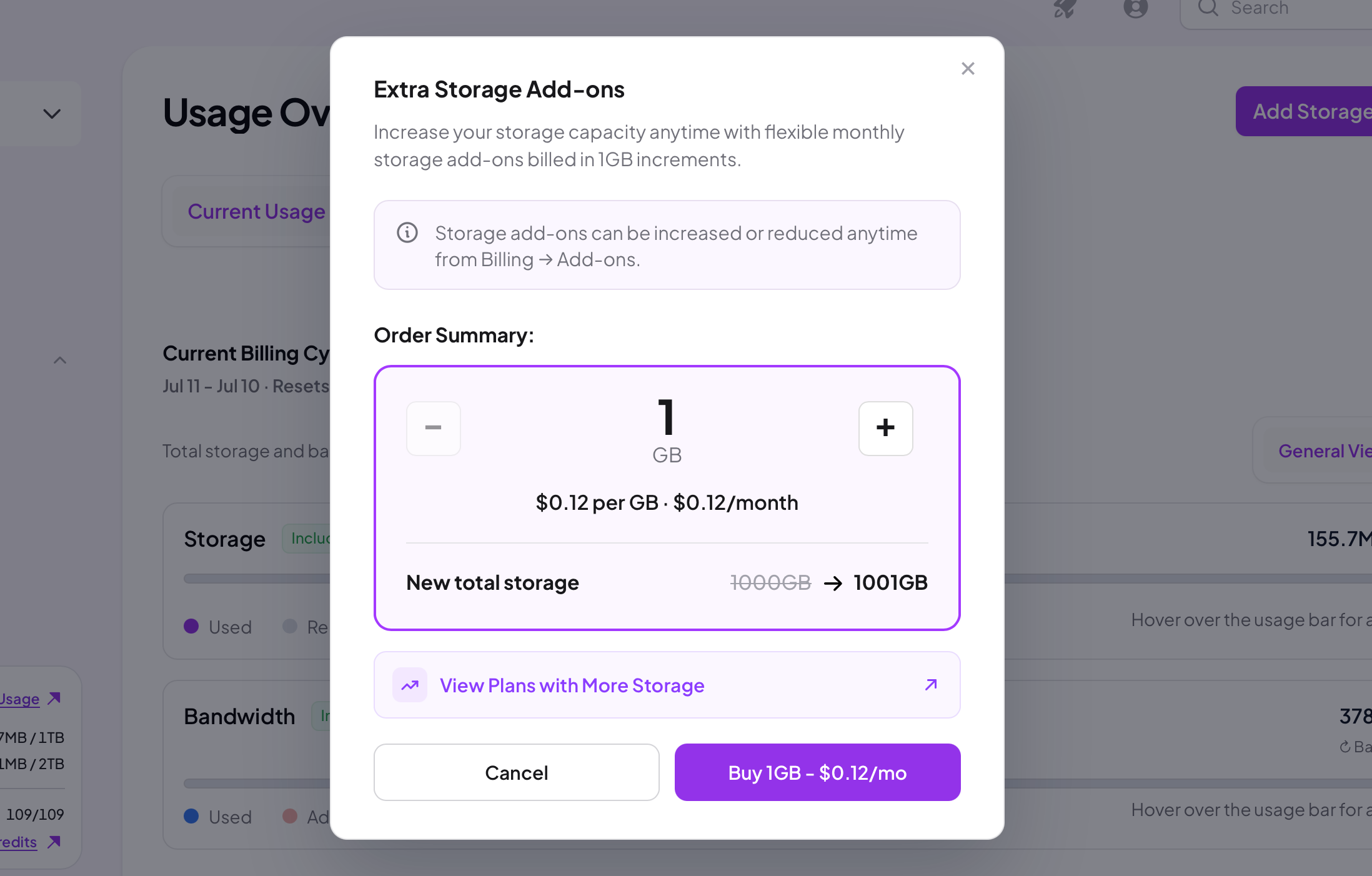
Because storage is a recurring cost, your files stay until you delete them, extra storage is a small monthly add-on.
You buy storage in 1 GB increments. The minimum is 1 GB and there is no upper limit.
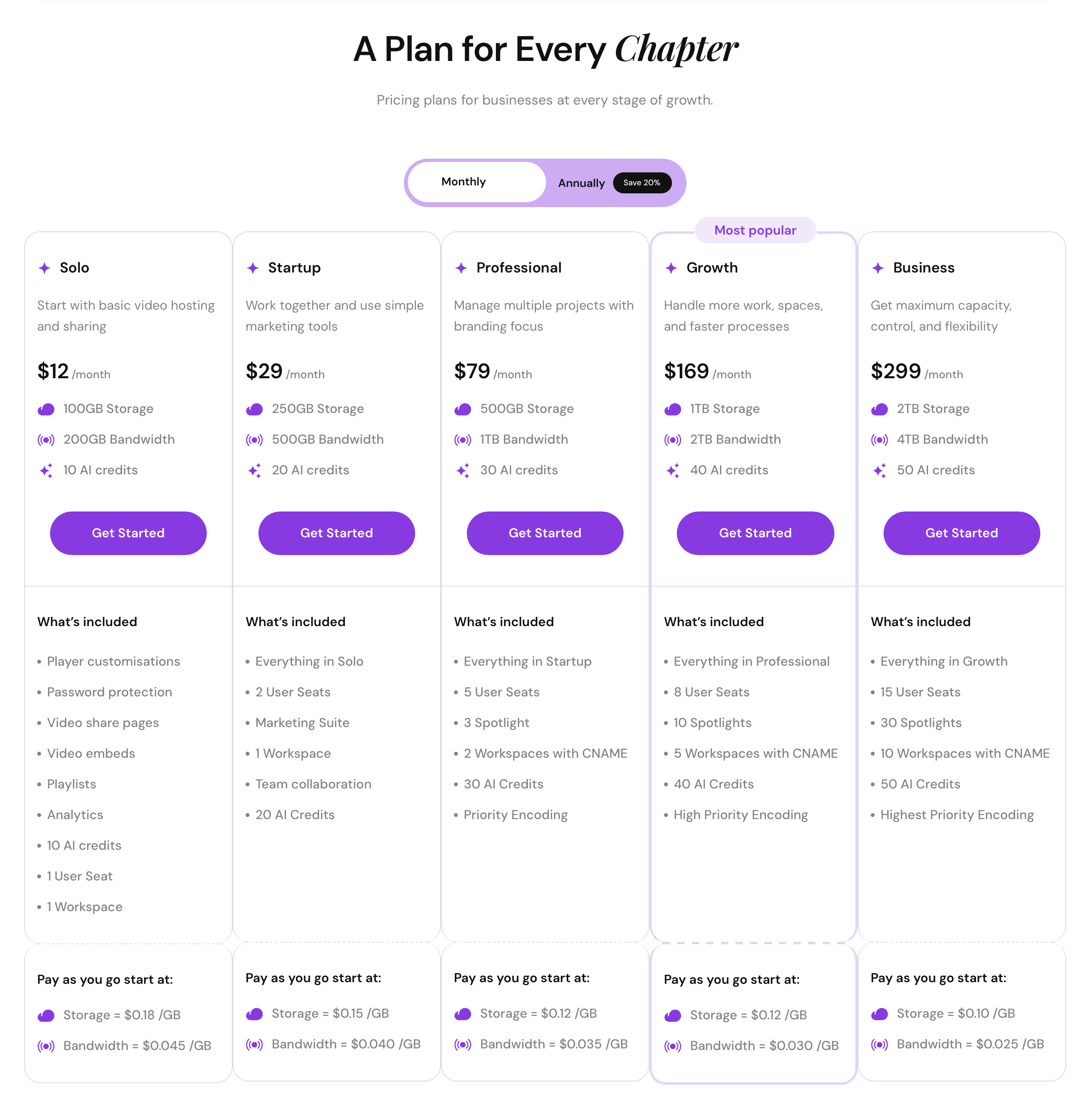
The price per GB depends on your plan. It starts at $0.18 per GB on the Solo plan and gets cheaper on larger plans.
There are two ways to add storage:
When you upload a file that would take you past your included storage, Skippz prompts you to add what you need.
Any time, from the Usage screen, click Add Storage and choose how many GB to add.
How add-on storage is billed:
An add-on is charged from the moment you add it, whether or not you fill the space.
If you add storage partway through a billing cycle, you only pay from the date you added it up to your next billing date. From the following cycle onwards, it is billed for the full month.
Removing storage add-ons:
Go to Billing, then Add-ons, and remove the GB you no longer need so you are not billed for them.
You can only remove add-on storage that is unused. If some of the extra space is holding files, free it up first by deleting those files, then remove the GB.
Add-ons are removed in 1 GB increments, the same as adding. You cannot remove a part of a gigabyte.
Because bandwidth resets monthly and is hard to predict, pay as you go is the practical way to handle a sudden spike or a growing audience without upgrading your plan.
Pay as you go is off by default. While it is off, if you reach your included bandwidth for the cycle, delivery pauses. Your shared and embedded videos stop playing until your bandwidth resets at the start of the next cycle.
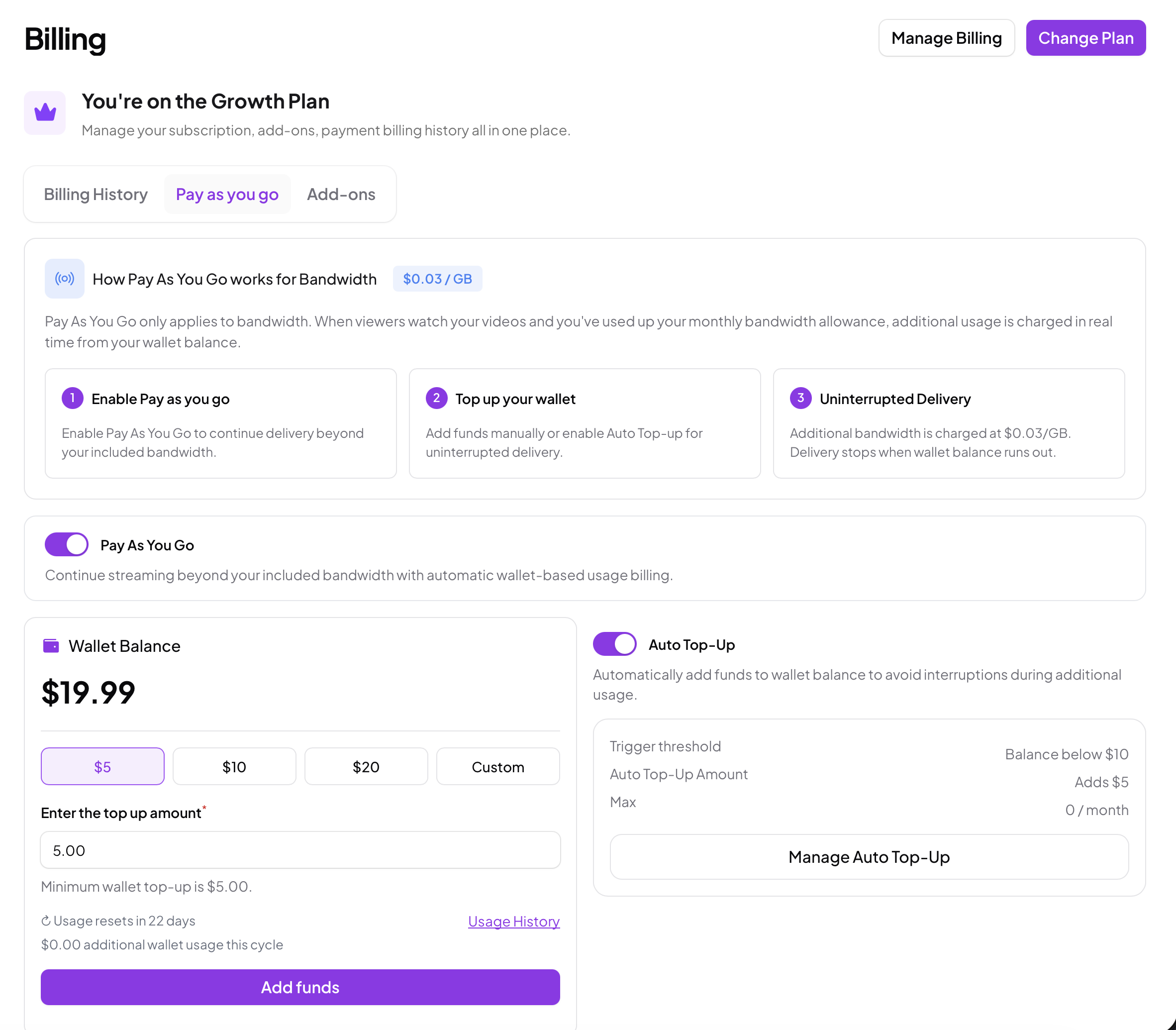
To keep delivery running beyond your included bandwidth, turn it on from the Usage screen under Pay as you go, also available under Billing. Here is how it works:
Pay as you go runs from a wallet. You add funds to your wallet, either as a one off top up or automatically.
Once it is on and your wallet has funds, any bandwidth beyond your included amount is charged at your plan's per GB rate and deducted from your wallet as it is used.
You only pay for what you use beyond your plan. Any wallet balance you do not use stays yours to use whenever you like.
To keep delivery from ever stopping, turn on Auto Top-Up. You set a trigger, for example when your balance falls below a chosen amount, and Skippz tops the wallet back up by an amount you choose, so streaming never gets interrupted.
For full control, you can set a Spending Cap, which limits the total Skippz will auto top up within a single billing cycle. You stay in charge of the maximum you could spend.
You can switch pay as you go on or off at any time.
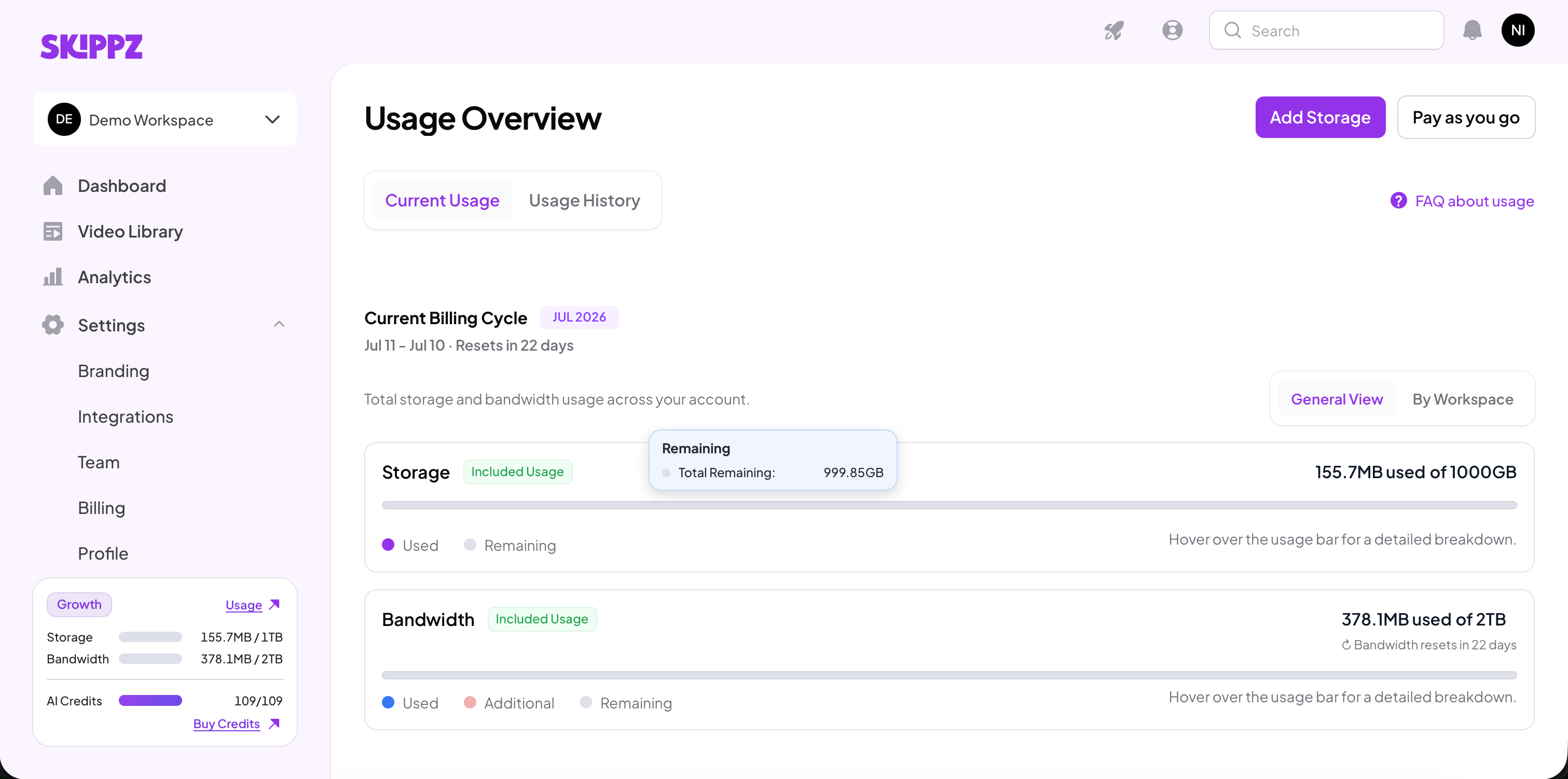
Open Usage from the navigation to see exactly where you stand. The Usage screen shows your current billing cycle and when it resets, with an interactive breakdown of your storage, your bandwidth, any add-on storage, and any pay as you go bandwidth used this cycle. Hover over a usage bar for the detail, switch between a general and a per workspace view, and open Usage History to look back over time.
Both storage add-ons and pay as you go are choices you make, never defaults we set. You decide when to add storage and when to enable pay as you go, you can remove add-ons or switch pay as you go off whenever you want, and you only ever pay for what you actually use beyond your plan.
When you do upgrade, it is to unlock more features, never to lift a limit on hosting or delivery.
