You can cancel your Skippz subscription from the Stripe Billing Portal. When you cancel, your subscription is scheduled to be at the end of your current billing period rather than stopping immediately.
To cancel your subscription:
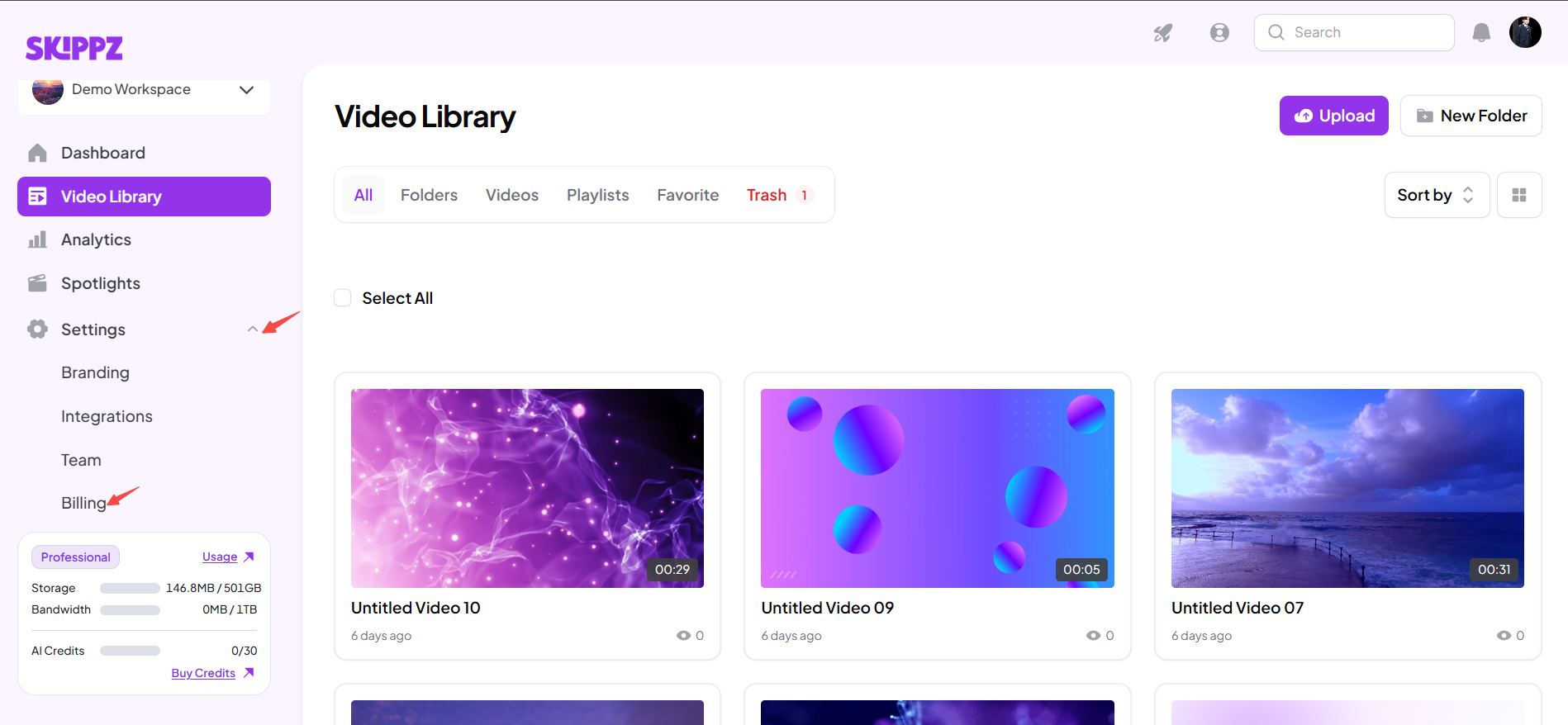
Go to Settings → Billing in Skippz.
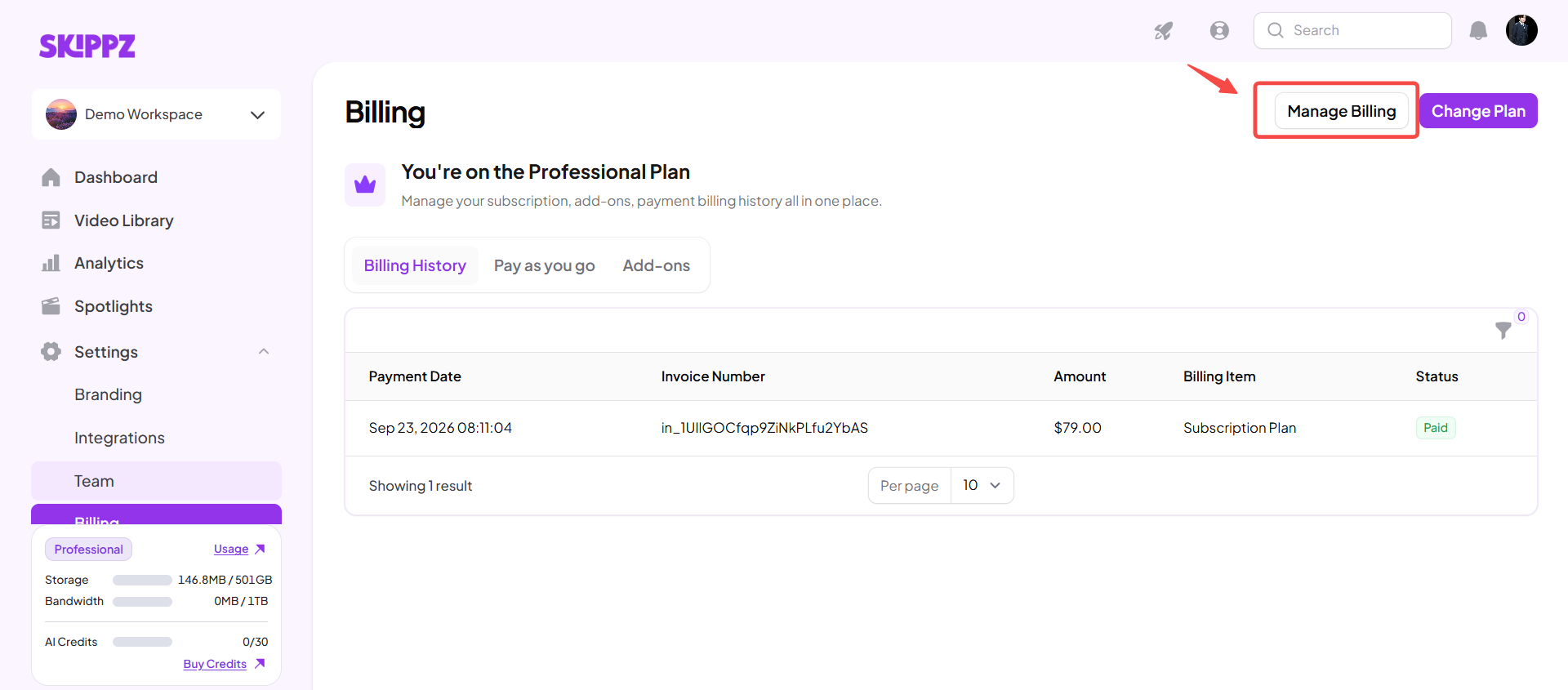
Open the Stripe Billing Portal.
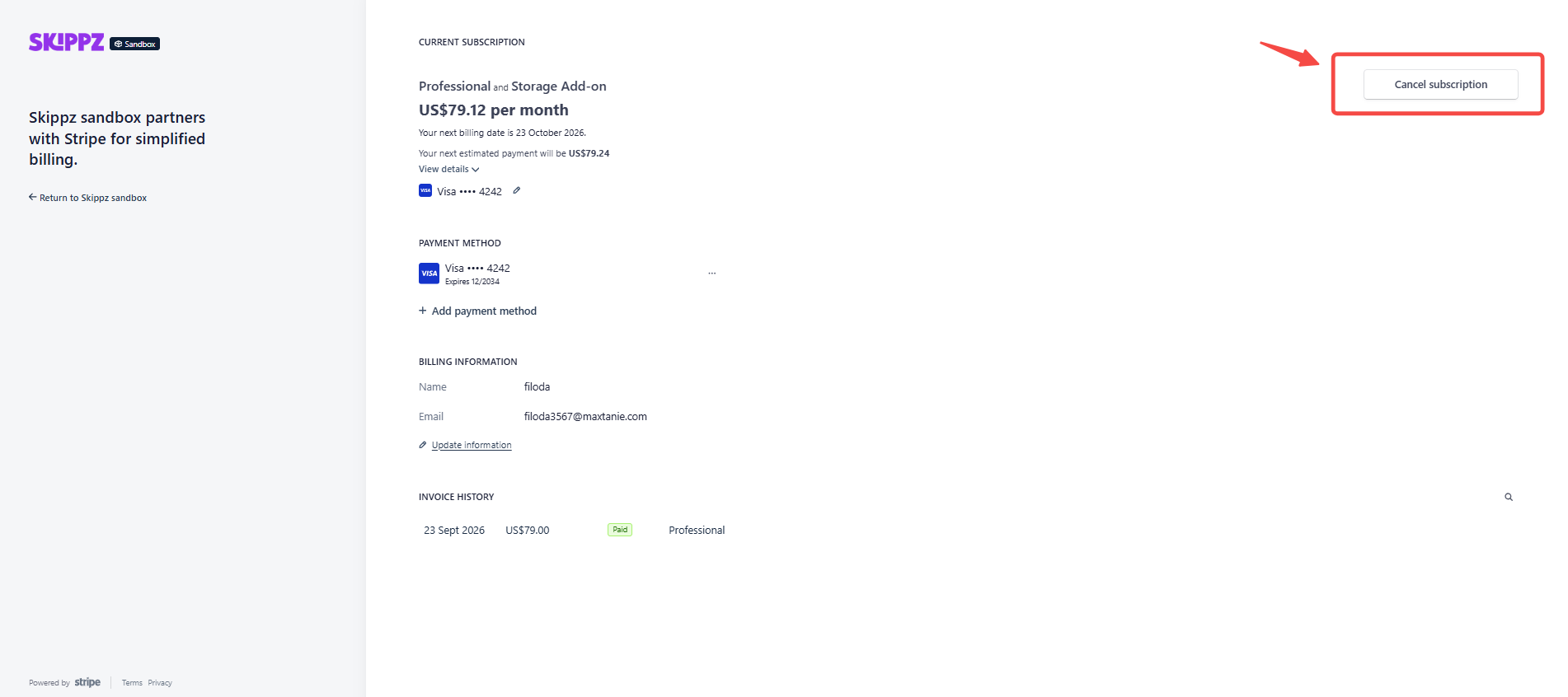
Select Cancel Subscription.
Review the cancellation information.
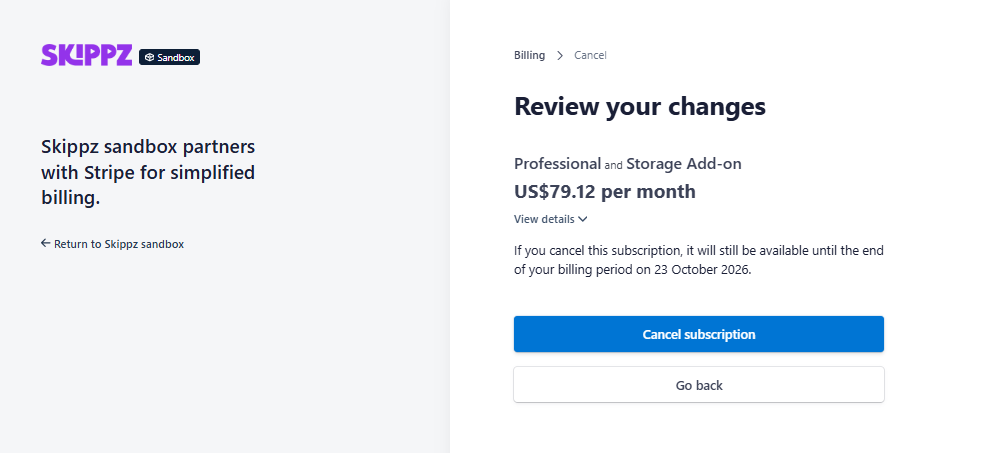
Confirm the cancellation.
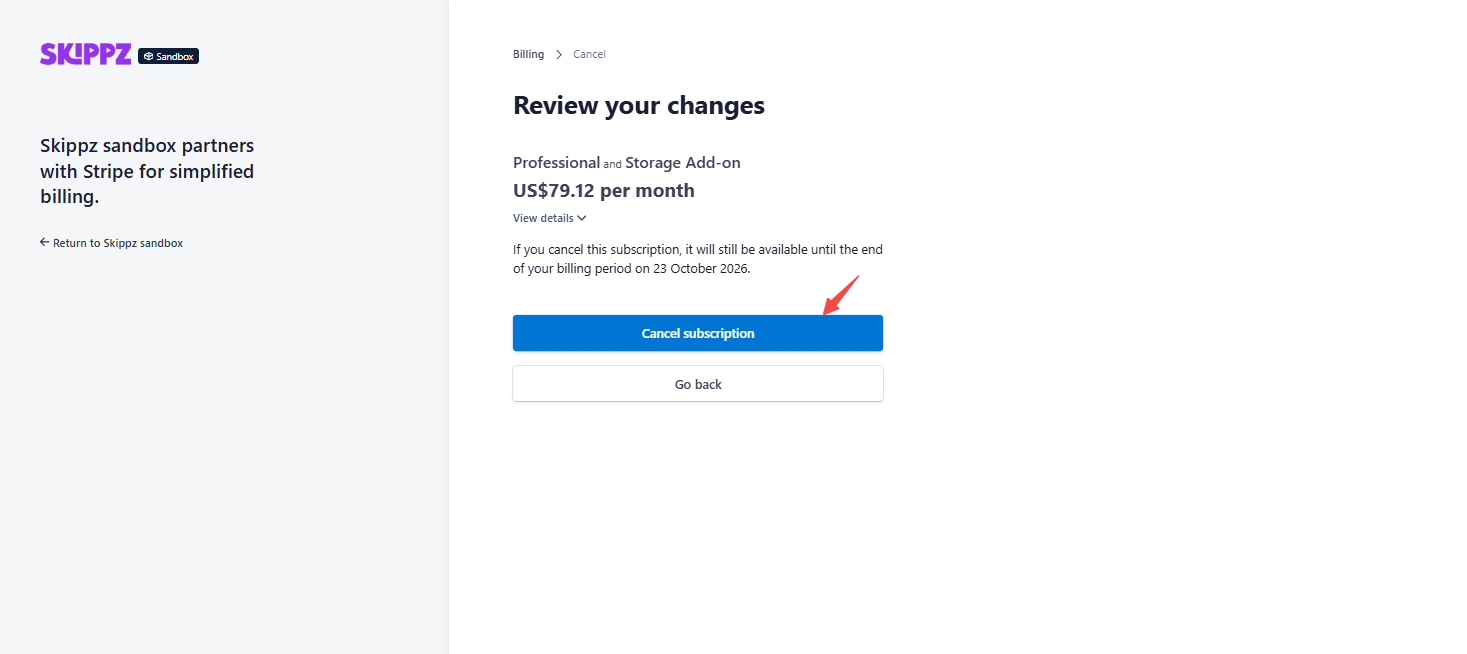
Once confirmed, your subscription is scheduled for cancellation.
No.
Cancelling your subscription does not immediately stop your subscription.
Your current plan and its features remain available until the end of your current subscription period.
For example, if your billing period ends on June 30 and you cancel on June 15, you can continue using your subscription through June 30.
Yes.
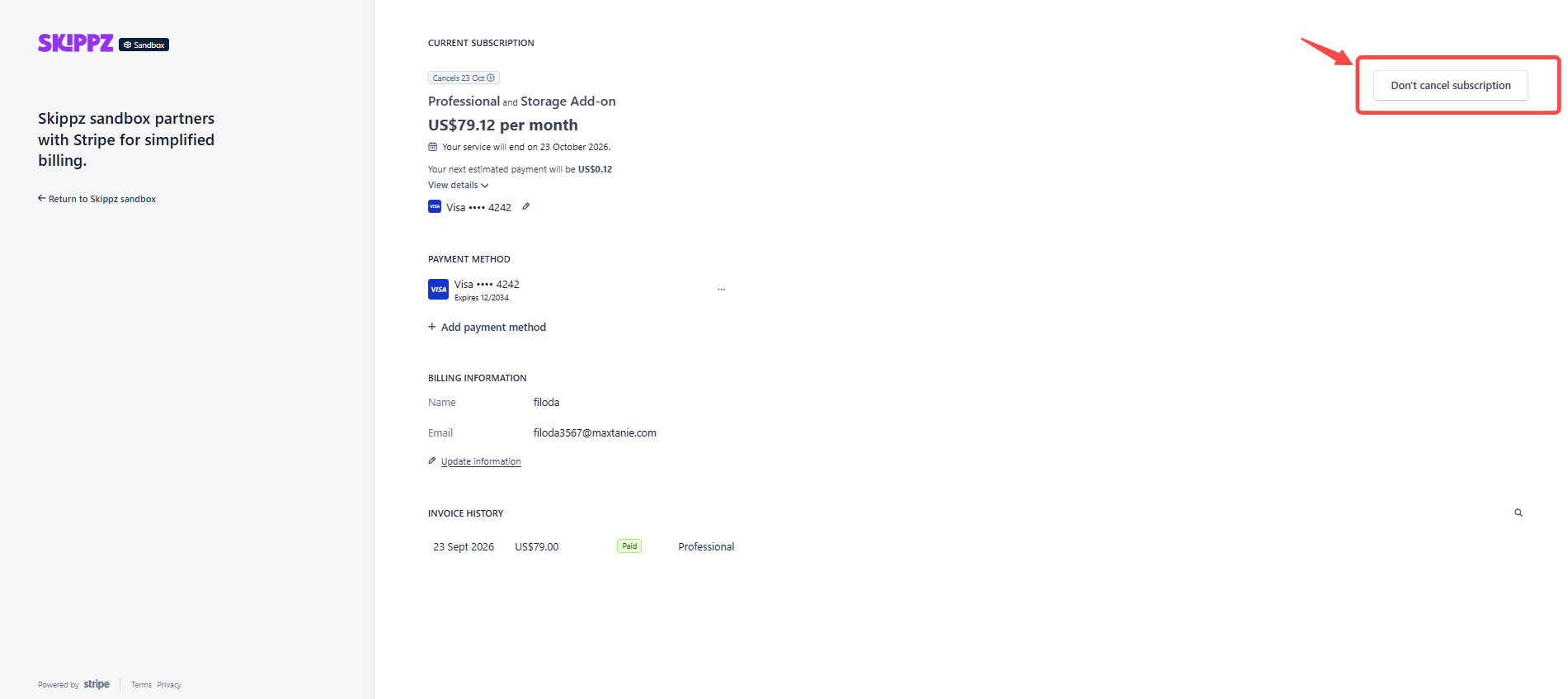
If you change your mind before your subscription expires, you can undo the scheduled cancellation and continue your subscription.
01.Click on "Don't cancel subscription".
02.Click on "Renew Subscription".
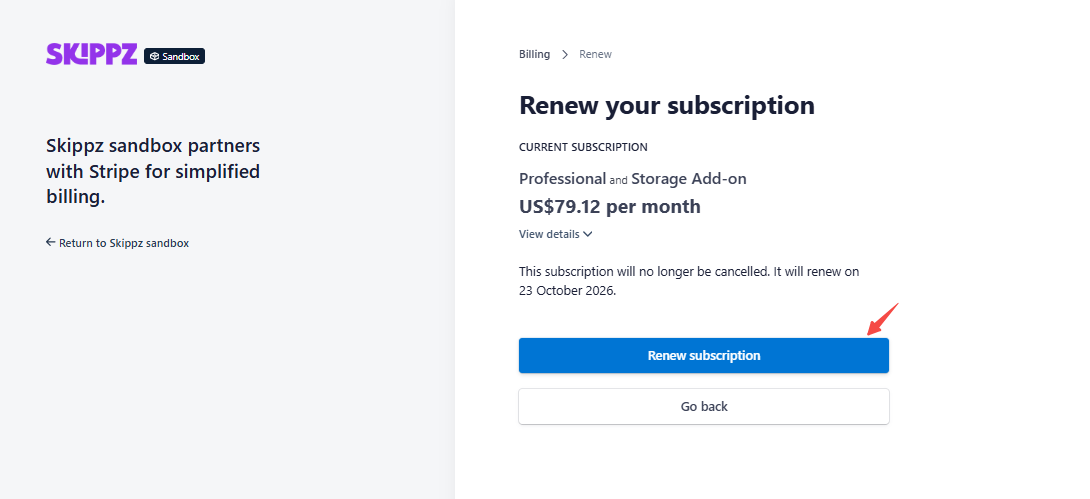
This allows you to keep your existing subscription instead of letting it expire.
Your subscription remains active until the end of the current billing period, so you can continue using the resources available under your plan during that period.
Bandwidth follows your billing cycle, while storage represents the videos currently stored in your account.
Cancelling your subscription does not automatically remove charges that have already been incurred.
For example, if you have used additional bandwidth through Pay As You Go or have applicable Storage Add-ons, those charges may still need to be settled according to your billing.
Check your Billing History and current usage if you need to review any outstanding charges.
Your subscription remains active through the current subscription period after you schedule cancellation.
What happens to your account, video playback, stored videos, add-ons, Wallet balance, and data after the subscription expires depends on Skippz's post-expiration handling.
If you need to know what will happen to your specific account or data after expiration, contact Skippz Support before your subscription ends.
Yes. If your cancellation is still scheduled and your subscription has not expired, you can undo the cancellation and continue your subscription.
Once the subscription has expired, reactivation may follow a different process.
Understanding Billing & Usage in Skippz
Understanding Your Storage Usage
Understanding Your Usage Dashboard
When Does My Usage Reset?
How Additional Storage Is Calculated and Billed
How Pay As You Go Usage Works
Invoices, Receipts and Billing History
Managing Your Payment Method
What Happens If My Payment Fails?
