Skippz plans include a specific number of workspaces. If you need more workspaces than your plan includes, you can add additional workspaces using Workspace Add-ons.
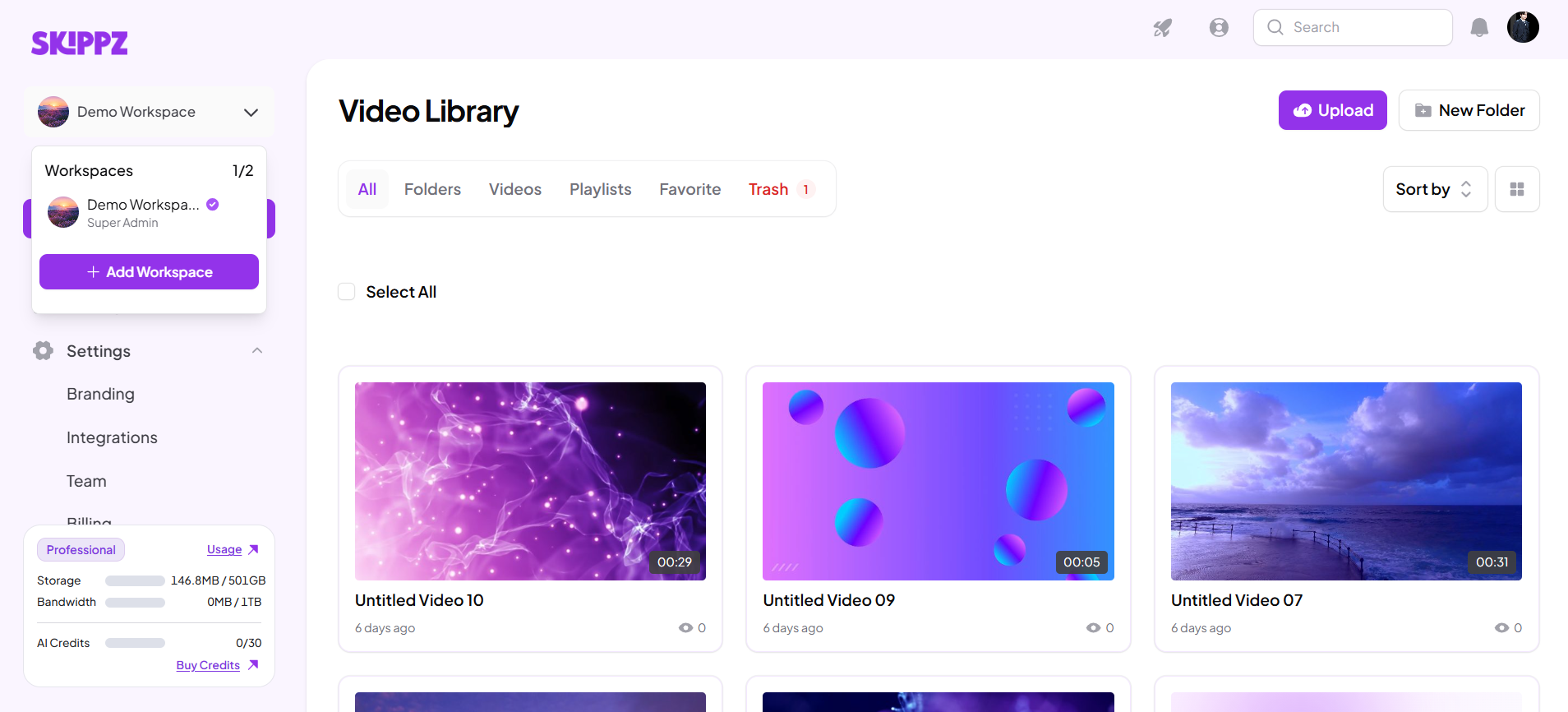
A Workspace Add-on gives you an additional workspace without requiring you to upgrade your entire subscription plan.
A workspace is a separate area you can use to organize content, teams, or projects.
For example, if your plan includes 2 workspaces and you need to manage content for a third project, you can add another workspace if Workspace Add-ons are available for your account.
The additional workspace is billed separately from the workspaces included with your plan.
An additional workspace becomes chargeable when the number of workspaces you have is greater than the number included in your subscription plan.
For example:
Your plan includes: 2 workspaces
You currently have: 2 workspaces
Additional workspaces: 0
You create another workspace: 1 Workspace Add-on
The additional workspace is then included as an add-on on your account.
Not necessarily.
If you only need a small number of additional workspaces, a Workspace Add-on can allow you to keep your current subscription plan while adding the workspace you need.
However, if your plan already includes enough workspaces for your needs, you don't need an add-on.
When you upgrade, your new plan may include more workspaces.
Skippz checks your existing workspaces against the new plan's workspace allowance.
If your new plan includes enough workspaces to cover the ones you already have, the applicable Workspace Add-ons can be absorbed or canceled.
If your existing workspaces are still above the new plan's limit, the remaining excess workspaces continue as Workspace Add-ons.
A downgrade takes effect at the end of your current subscription period.
When the downgrade becomes effective, Skippz checks the number of workspaces you actually have against the workspace limit of the new plan.
For example:
You currently have: 4 workspaces
Your new plan includes: 2 workspaces
Excess: 2 workspaces
The 2 excess workspaces become Workspace Add-ons and are charged on the next billing cycle.
You can remove unnecessary workspaces before the downgrade takes effect if you want to avoid those additional charges.
No. They are different types of billing.
Storage is based on the videos stored in your account.
Bandwidth is based on video delivery and playback.
Workspace Add-ons are based on the number of workspaces beyond your plan's included allowance.
Storage and bandwidth usage are calculated at the account level. A workspace does not receive its own separate storage or bandwidth allowance simply because it is a separate workspace.
Workspaces are separate areas for organizing your content and teams, but storage and bandwidth are still calculated at the account level.
For example, if your account includes 100 GB of storage, creating two workspaces does not give you 100 GB for each workspace.
The 100 GB applies to your account as a whole.
You can view usage in General (account-wise) or Workspace-wise views. The Workspace view organizes the usage information by workspace, while the underlying storage and bandwidth limits remain account-level.
Before adding or keeping extra workspaces, check how many workspaces your current plan includes.
If you no longer need a workspace, removing it before a plan downgrade or before your next billing cycle can help you avoid unnecessary Workspace Add-on charges.
Understanding Billing & Usage in Skippz
Understanding Your Usage Dashboard
Upgrading or Downgrading Your Plan
When Does My Usage Reset?
Understanding Your Storage Usage
Understanding Your Bandwidth Usage
How Pooled Usage Works Across Your Workspace
Invoices, Receipts and Billing History
