Skippz lets you organize your content into multiple workspaces, but storage and bandwidth are calculated at the account level.
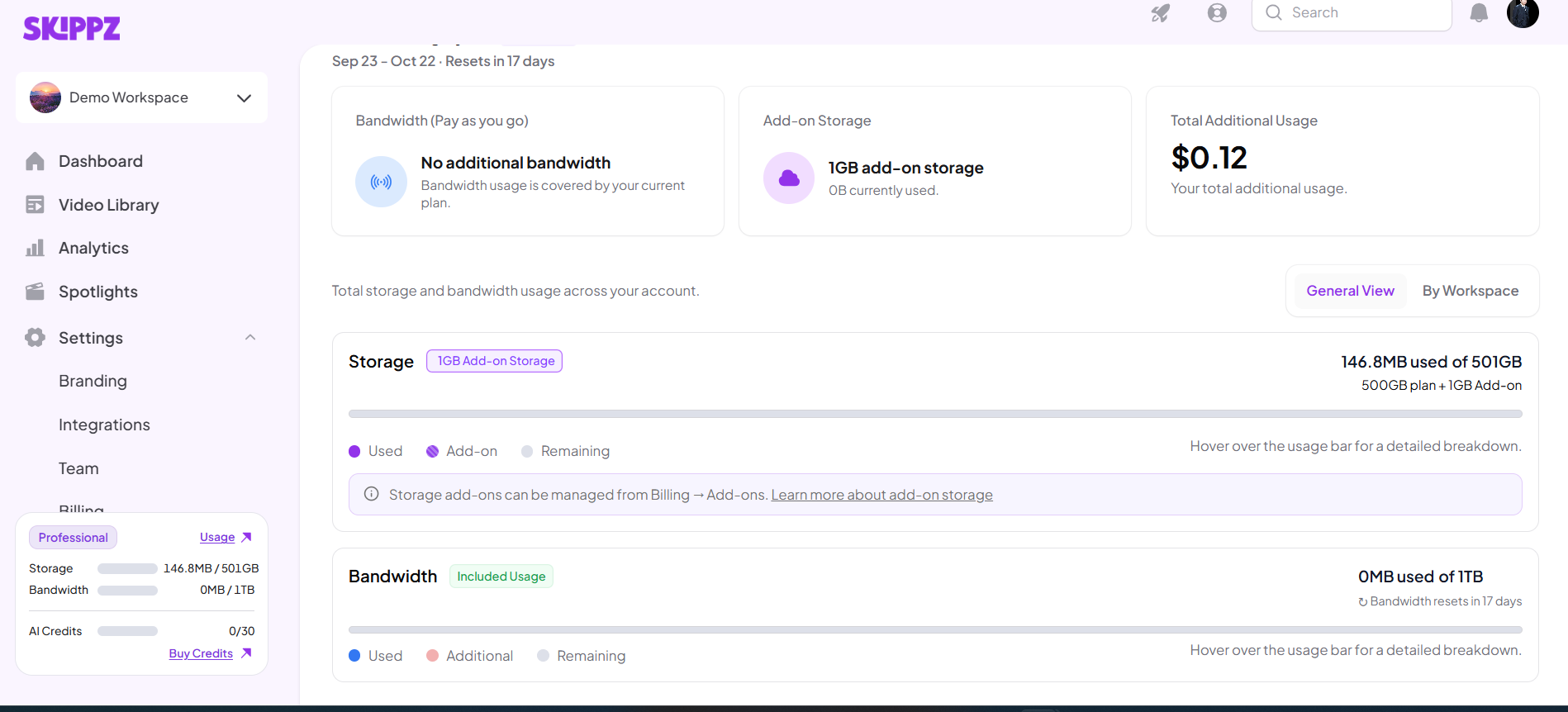
This means your plan's included storage and bandwidth are shared across the account rather than giving each workspace its own separate allowance.
Your storage and bandwidth limits belong to your Skippz account.
For example, imagine your plan includes:
100 GB storage
200 GB bandwidth
2 workspaces
If you have two workspaces, the 100 GB of storage and 200 GB of bandwidth are not provided separately to each workspace.
Instead, they apply to your account as a whole.
Suppose you have:
Workspace A: 60 GB of stored videos
Workspace B: 30 GB of stored videos
Total account storage: 90 GB
Your account is using 90 GB of its 100 GB included storage.
You do not have another 100 GB available for Workspace B.
The remaining storage available to the account is 10 GB.
The same principle applies to bandwidth.
If your plan includes 200 GB of bandwidth and:
Workspace A uses 120 GB
Workspace B uses 50 GB
Your account has used 170 GB in total.
That leaves 30 GB of included bandwidth for the account during the current billing period.
If viewers continue watching videos in either workspace, that usage contributes to the account's bandwidth usage.
Skippz provides different ways to look at your usage.
General View shows usage at the account level.
This is useful when you want to understand your overall storage and bandwidth usage across your entire Skippz account.
For example, you can see how much of your total included storage or bandwidth has been used.
Workspace View organizes usage information by individual workspace.
This can help you understand where usage is coming from and compare usage between your workspaces.
However, the Workspace view does not mean that each workspace has its own separate storage or bandwidth allowance.
No.
If your plan includes 100 GB of storage, you have 100 GB for the account, not 100 GB for every workspace.
For example, with three workspaces:
Workspace A: 40 GB
Workspace B: 35 GB
Workspace C: 20 GB
Total: 95 GB
Your account has 5 GB of included storage remaining.
Creating another workspace does not give the account another 100 GB of storage.
No.
Bandwidth also applies at the account level.
For example, if your plan includes 200 GB of bandwidth, all video delivery and playback across your workspaces contributes to that account-level allowance.
If your workspaces collectively use all 200 GB, the account has reached its included bandwidth limit for that billing period.
If your account reaches its included storage limit and you try to upload a video that would exceed it, Skippz shows the Add Storage pop-up.
The pop-up calculates how much additional storage is needed for the upload.
Storage Add-ons are available in 1 GB increments, so the required amount is rounded up to the next whole GB.
For example, if you need 600 MB of additional storage, you need to add 1 GB.
Bandwidth follows your billing cycle.
Once your included bandwidth is used, additional bandwidth can be handled through Pay As You Go if it is enabled and your Wallet has sufficient funds.
If your included bandwidth is exhausted and your Wallet has no funds available, videos requiring additional bandwidth may not play.
No.
Bandwidth resets based on the account's billing cycle, not separately for each workspace.
Storage also does not reset with the billing cycle. It reflects the videos currently stored in your account.
Deleting videos reduces your account's storage usage regardless of which workspace they were in.
Workspace View is useful when you want to understand where your account's usage is coming from.
For example, if one workspace contains a large video library or receives significantly more viewer traffic, the workspace-level view can help you identify that usage.
Just remember:
Workspace View helps you organize and understand usage; it does not create separate storage or bandwidth allowances for each workspace.
Understanding Billing & Usage in Skippz
Understanding Your Usage Dashboard
Understanding Your Storage Usage
Understanding Your Bandwidth Usage
When Does My Usage Reset?
How Additional Storage Is Calculated and Billed
How Additional Bandwidth Is Calculated and Billed
Why Is My Usage Higher Than Expected?
Billing for Additional Workspaces
