Your videos can be more than individual links.Maybe you're a filmmaker with a collection of films.Maybe you're an educator with a library of lessons.Maybe you're a creator publishing a weekly series.Maybe you're a business showcasing your work.Or maybe you've created premium videos that you want people to buy, rent, or access through a subscription.
Spotlight gives you a place to turn those videos into a complete viewing experience.
Instead of asking:
“Where can I put my videos?”
You can start asking:
“What kind of experience can I create with my videos?”
This article explores some of the possibilities.
If you're a filmmaker, creative professional, photographer, agency, production company, or creator, your videos can become a professional portfolio.
Instead of sending potential clients multiple video links, create a Showcase Spotlight that brings your work together.
For example:
Featured Work
Brand Film — ABC Company
Product Commercial — XYZ Brand
Documentary — Life in the City
Short Films
Film One
Film Two
Film Three
Behind the Scenes
Production Day
Director Interview
Making the Film
You can give potential clients or collaborators one place to explore your work.
Your audience doesn't have to search through different links to understand what you do.
They can open your Spotlight, explore your work, and watch the videos you've chosen to showcase.
Great for:
Filmmakers
Videographers
Production companies
Creative agencies
Photographers
Freelancers
Personal brands
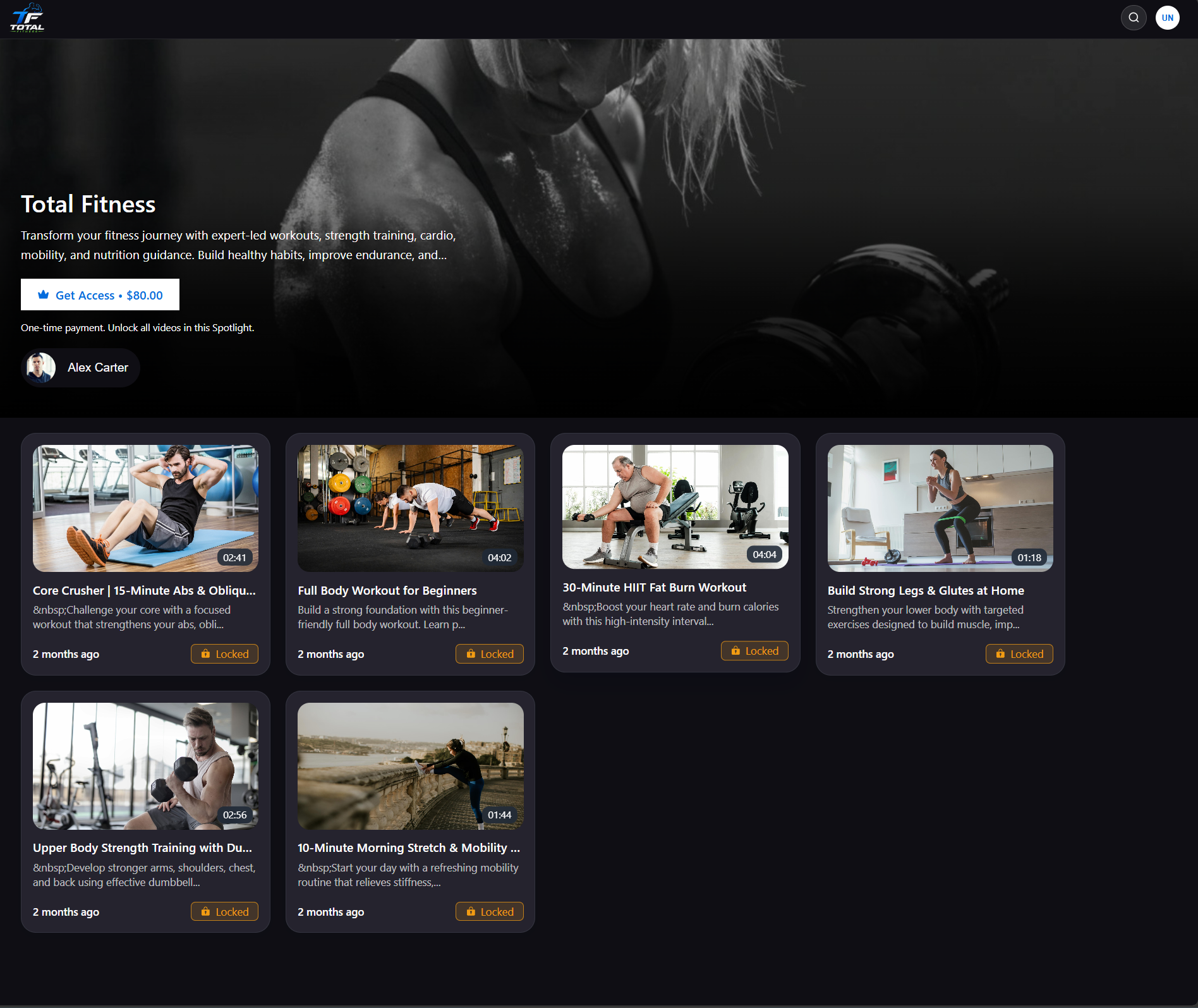
Have a collection of videos that people are willing to pay for?
Spotlight can turn that collection into a paid viewing experience.
For example, imagine you're a fitness creator.
You have created:
10 strength workouts
10 cardio workouts
5 mobility sessions
5 recovery sessions
Instead of selling or sharing them separately, you can bring them together in a Spotlight.
Strength
Full Body Workout
Upper Body Workout
Lower Body Workout
Cardio
HIIT
20-Minute Cardio
Beginner Cardio
Recovery
Stretching
Mobility
Recovery Session
You can then decide whether viewers should purchase individual videos or access the complete Spotlight.
This makes Spotlight useful for creating a premium video library around your expertise.
You don't always need to sell your entire collection.
Sometimes a viewer only wants one specific video.
With Pay Per Video, you can offer individual videos for purchase.
For example, imagine you're a filmmaker with a collection of independent films:
Film A
Film B
Film C
Film D
A viewer interested in Film B can purchase that video without needing to purchase your entire collection.
This can be useful when your videos have value individually.
Great for:
Independent films
Premium tutorials
Workshops
Masterclasses
Interviews
Special episodes
Premium creator content
Sometimes your audience doesn't need permanent access.
You may want to offer your content for a limited period instead.
With Showcase Spotlight, you can create a rental experience for eligible content.
You can offer rental periods such as:
24 hours
48 hours
72 hours
For example, imagine you've produced an independent documentary.
You could create:
Watch the documentary
Rent for:
24 hours
48 hours
72 hours
This gives viewers a way to watch your content without purchasing permanent access.
You can also use rental for individual videos or the complete Showcase, depending on how you've configured your Spotlight.
Rental is currently available with Showcase Spotlight.
What if you regularly create new content?
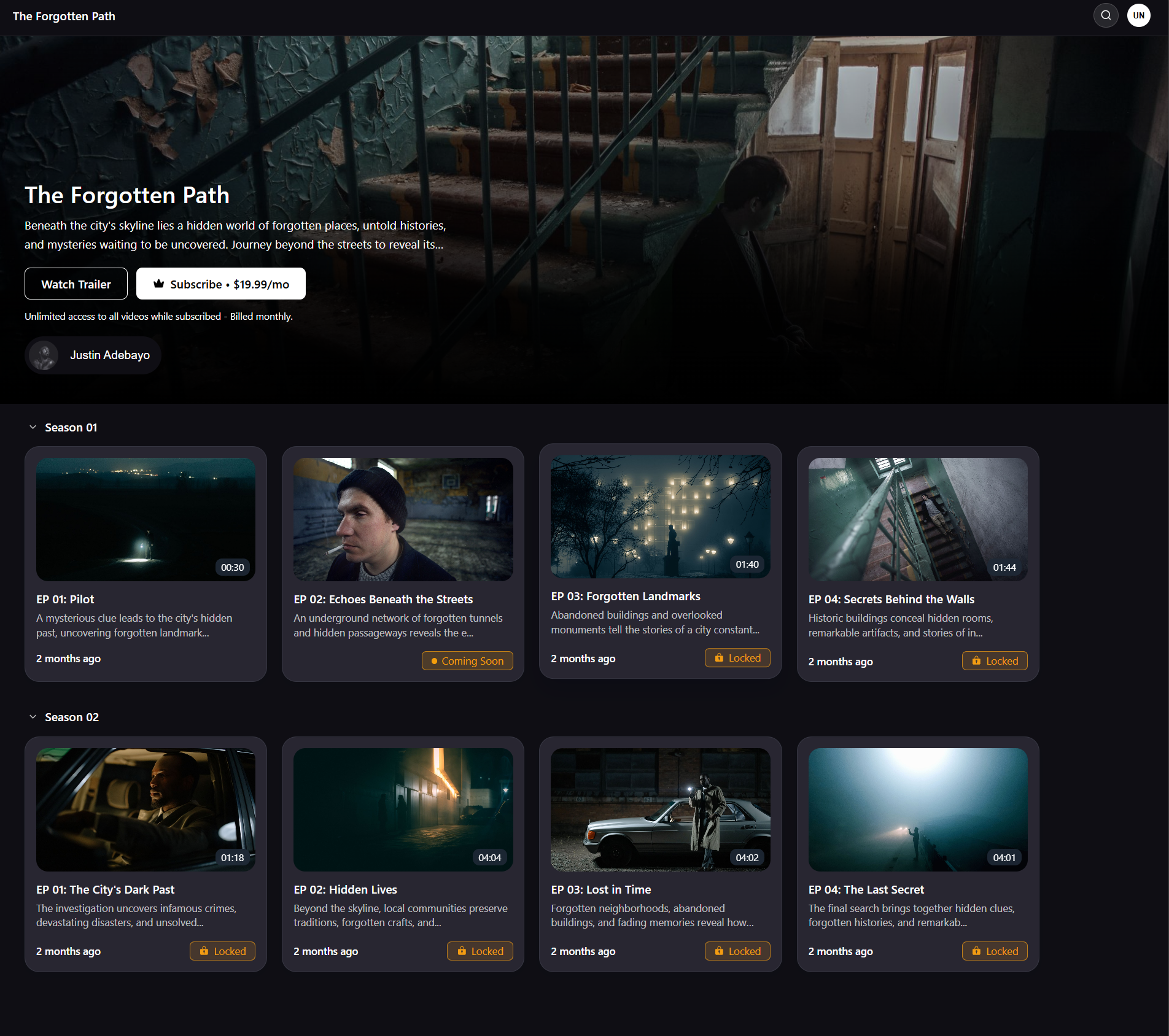
Instead of selling every video individually, you can build a subscription-based video experience.
Imagine you're a yoga instructor.
Every week, you publish new sessions:
New This Week
Morning Flow
Evening Relaxation
30-Minute Strength Yoga
Video Library
Beginner Yoga
Flexibility
Meditation
Advanced Practice
Your audience can subscribe to access your content.
This model can work particularly well when you're building an ongoing content library rather than selling one-time videos.
Great for:
Fitness creators
Yoga instructors
Educators
Coaches
Membership businesses
Regular video creators
Not every video experience needs to look like a traditional video library.
If your content is vertical, short-form, and episodic, you can use Vertical Spotlight.
For example:
Episode 1: 5-Minute Pasta Episode 2: Easy Breakfast Episode 3: Quick Dessert Episode 4: One-Pan Dinner Episode 5: Weekend Special
Each episode is a vertical video, and the Spotlight becomes the home for the entire series.
This is especially useful when your audience is used to consuming short-form, mobile-first content.
Great for:
Short-form creators
Daily video series
Weekly episodes
Cooking content
Fitness challenges
Beauty and lifestyle content
Educational shorts
Creator series
Have you recorded a course, training program, workshop, or educational series?
You can use Spotlight to bring educational videos together into a structured viewing experience.
For example:
Module 1 — Getting Started
Understanding Your Camera
Camera Settings
Choosing a Lens
Module 2 — Taking Better Photos
Composition
Lighting
Exposure
Module 3 — Editing
Editing Basics
Color Correction
Final Project
Instead of giving learners a collection of disconnected videos, you can create a dedicated place for the content.
This can work for:
Tutorials
Training libraries
Workshops
Coaching content
Educational collections
Professional development
Want your content to feel more like a dedicated streaming library?
Showcase can help you bring your video collection into a branded viewing experience.
For example, you could create:
Featured
New Documentary
Films
Film One
Film Two
Film Three
Series
Season 1
Season 2
Behind the Scenes
Interviews
Production Stories
Instead of thinking about each video separately, you're creating a destination around your entire content library.
This can be useful for creators, studios, businesses, agencies, and organizations with larger collections of video content.
Spotlight isn't only for individual creators.
Businesses and agencies can use it to bring their video content together in a professional environment.
For example, an agency could create:
Client Campaigns
Product Videos
Brand Films
Case Studies
Customer Stories
A production company could create:
Films
Commercials
Documentaries
Interviews
A company could create:
Getting Started
Product Tutorials
Advanced Guides
Webinars
The goal is the same:
Give your audience one professional place to experience your video content.
Sometimes you don't want to send someone to the entire collection.
You want to share one specific video.
That's where Video Pages can be useful.
An individual video can have its own public, shareable page while still inheriting the branding and appearance of its Spotlight.
For example, suppose your Showcase contains 20 videos.
You could share:
Spotlight → Full Collection
with one audience.
And share:
Video Page → One Specific Video
with another.
This is particularly useful when you want to promote, sell, or rent individual videos.
Spotlight can also be useful when your content is designed around films or premium entertainment.
Imagine you're launching an independent film.
You could create:
Featured Film
The Main Film
Related Content
Behind the Scenes
Director Interview
Making of the Film
Trailer
You could make the experience free, sell individual content, offer eligible rentals, sell access to the complete Spotlight, or use a subscription model depending on your setup.
Your audience gets more than a single film link.
They get a complete experience around the film.
You don't need to be a traditional filmmaker to create a video series.
You could build a Spotlight around almost any topic you regularly teach or create content about.
For example:
Episode 1 — Finding Your Audience
Episode 2 — Building Your Brand
Episode 3 — Creating Content
Episode 4 — Social Media Strategy
Episode 5 — Measuring Results
Or:
Beginner Chords
Rhythm
Scales
First Song
Improvisation
Or:
Beginner Program
Strength Program
Mobility
Recovery
Spotlight lets you turn those individual videos into something that feels like a complete content product.
You don't have to use Spotlight for just one type of content.
You can create different Spotlights for different goals.
For example, a creator might have:
A free Showcase for potential clients.
A paid Showcase for premium educational content.
A Vertical Spotlight for short-form content.
A subscription-based video experience.
Each Spotlight can have its own content, presentation, and access model.
The choice depends mainly on the type of content you're creating.
Showcase is suitable when:
You have horizontal videos
You have vertical videos
You have a mix of both
You're building a portfolio
You're creating a video library
You're creating a film collection
You want to offer rentals
You want a flexible branded experience
Showcase supports both horizontal and vertical videos and provides horizontal and vertical player experiences.
Vertical is suitable when:
Your videos are vertical
You're creating short-form content
You're creating episodes
Your content is mobile-first
You want a dedicated vertical video experience
Vertical Spotlight is focused on vertical video.
Once you've decided what you want to create, you can decide how your audience should access it.
Depending on the Spotlight type and configuration, you can create experiences around:
Give your audience access without requiring a purchase.
Let viewers purchase specific videos.
Let viewers purchase access to the entire Spotlight.
For Showcase, offer eligible content for a limited rental period.
Create an ongoing subscription experience around your video library.
This means the same basic idea—your videos in one branded experience—can support very different business models.
The biggest opportunity with Spotlight is not simply that you can put videos in one place.
It's that you can build something around those videos.
A video can become:
A portfolio
A collection of your best work.
A product
A premium video or video library people can purchase.
A rental
Content viewers can access temporarily.
A subscription
An ongoing library of content.
A series
A collection of episodes released over time.
An educational experience
Lessons, tutorials, training, or workshops.
A branded library
A professional destination for your business or organization.
A shareable experience
A Spotlight or individual Video Page that you can send directly to your audience.
Whatever you're creating, start with the content you already have.
Ask yourself:
What do I want my audience to experience?
Do you want them to:
Discover your work?
Watch your films?
Learn from your videos?
Buy individual content?
Purchase your complete collection?
Rent a film?
Subscribe to your library?
Follow a short-form series?
Explore your business's video content?
Once you know the experience you want to create, Spotlight gives you the tools to bring that idea together.
Your videos are the content. Spotlight is the experience around them.
After reading this article, you should be able to:
Identify ways Spotlight can be used for your own content.
Decide whether you're creating a portfolio, library, series, rental experience, subscription experience, or another type of video destination.
Understand when Showcase is a better fit.
Understand when Vertical is a better fit.
Identify whether you want free, paid, rental, or subscription access.
Start planning the videos and structure for your first Spotlight.
Ready to turn your idea into a Spotlight?
Start with How to Create Your First Spotlight.
Understanding Spotlights
How to Create Your First Spotlight
Understanding Spotlight Types
How to Choose the Right Spotlight for Your Content
How to Create a Showcase Spotlight