
Where to Manage Integrations
You can manage all integrations from:
Settings → Integrations
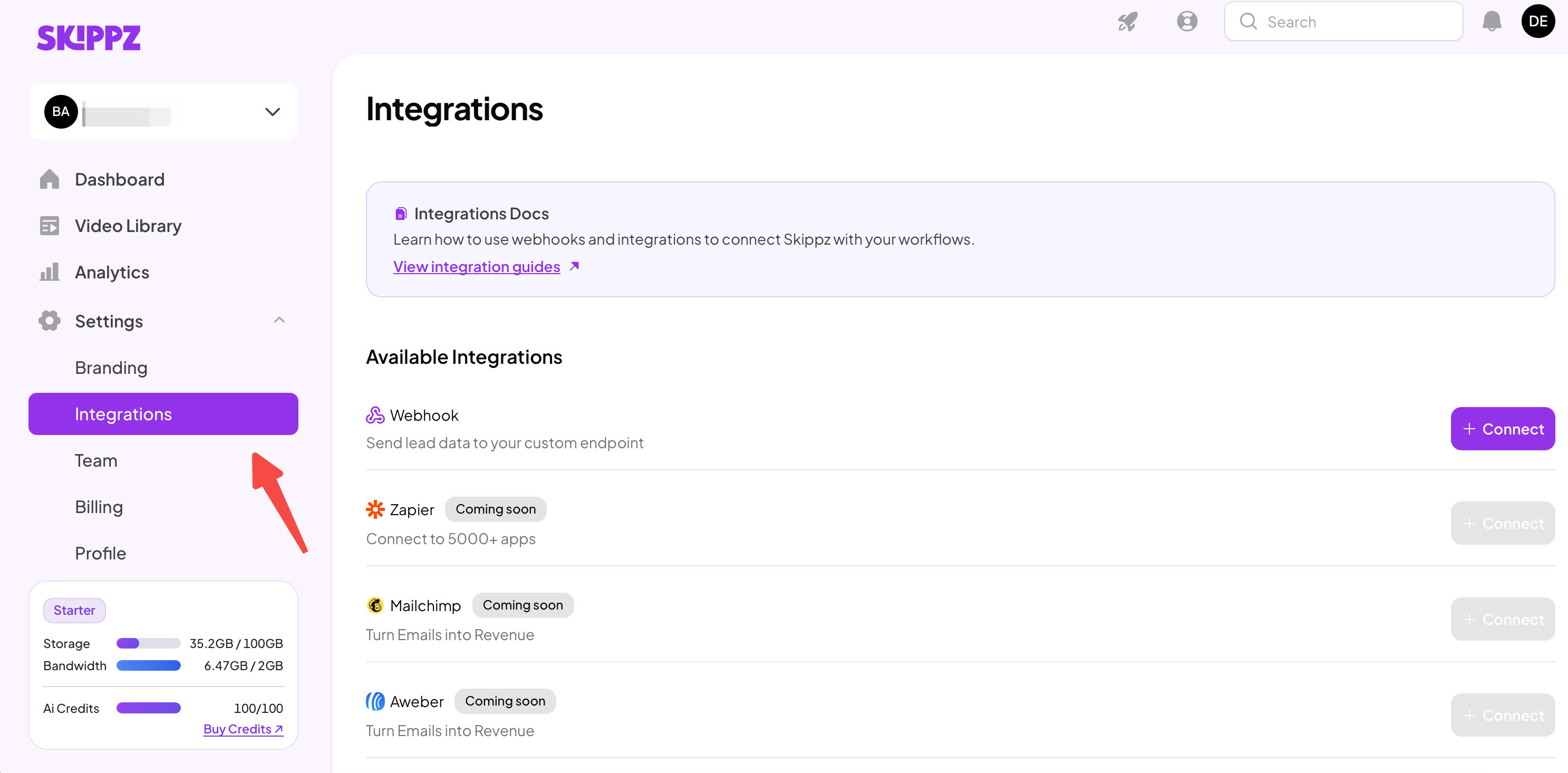
From here, you can:
Create new integrations
View connected integrations
Edit or disconnect existing ones
Supported Integrations (more in-development)
At the moment, Skippz supports Webhooks, which are widely accepted by most software platforms.

Webhooks work especially well with tools like Zapier, Make, and custom applications.
We will be releasing additional native integrations regularly to make your workflows even easier.
Adding an Integration to a Video
Integrations are applied at the video level and work only with videos that contain a form element.
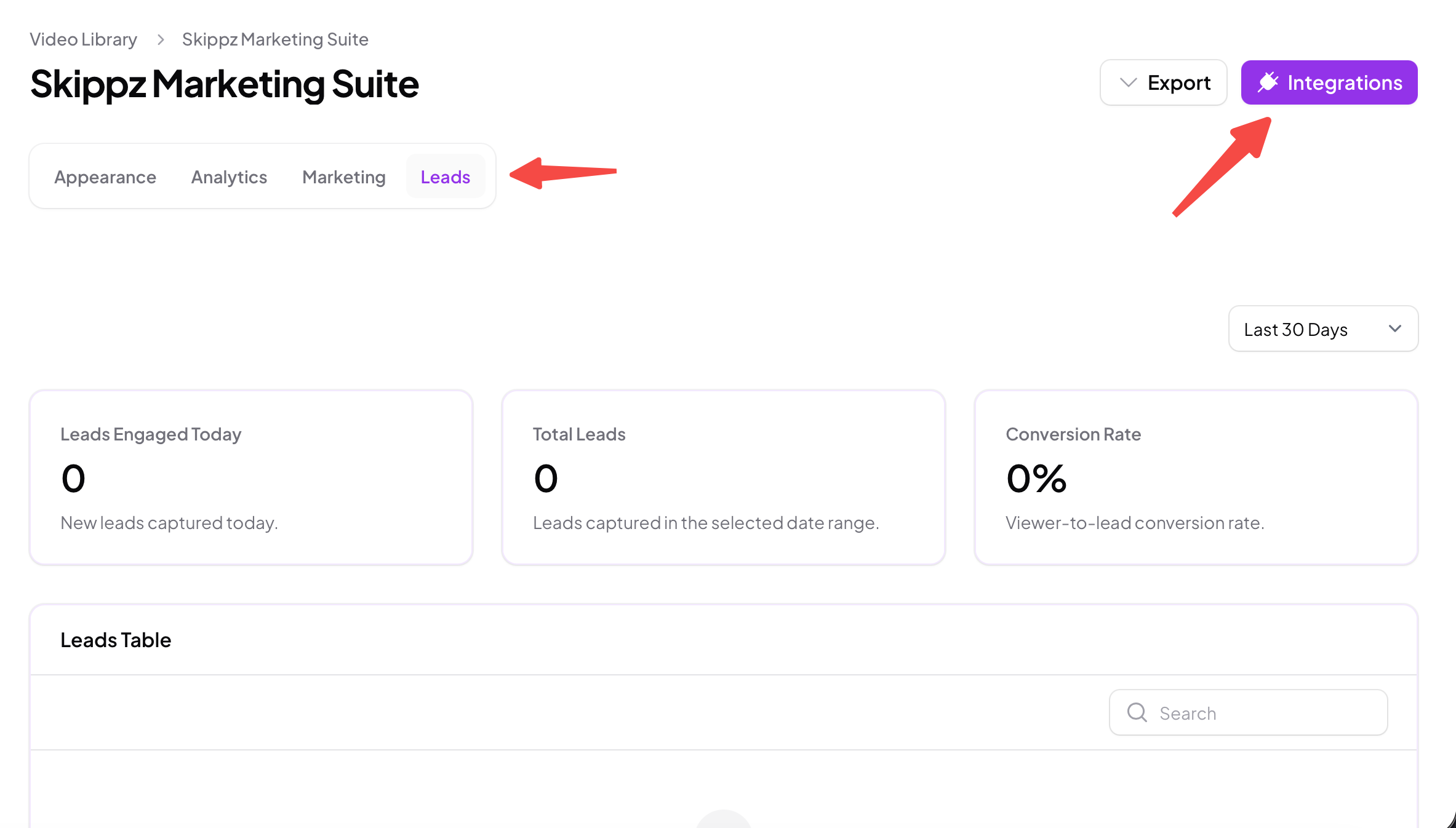
To attach an integration to a video:
Open the video you want to connect
Go to the Leads tab
Click on Integrations
Select the integration you want to attach
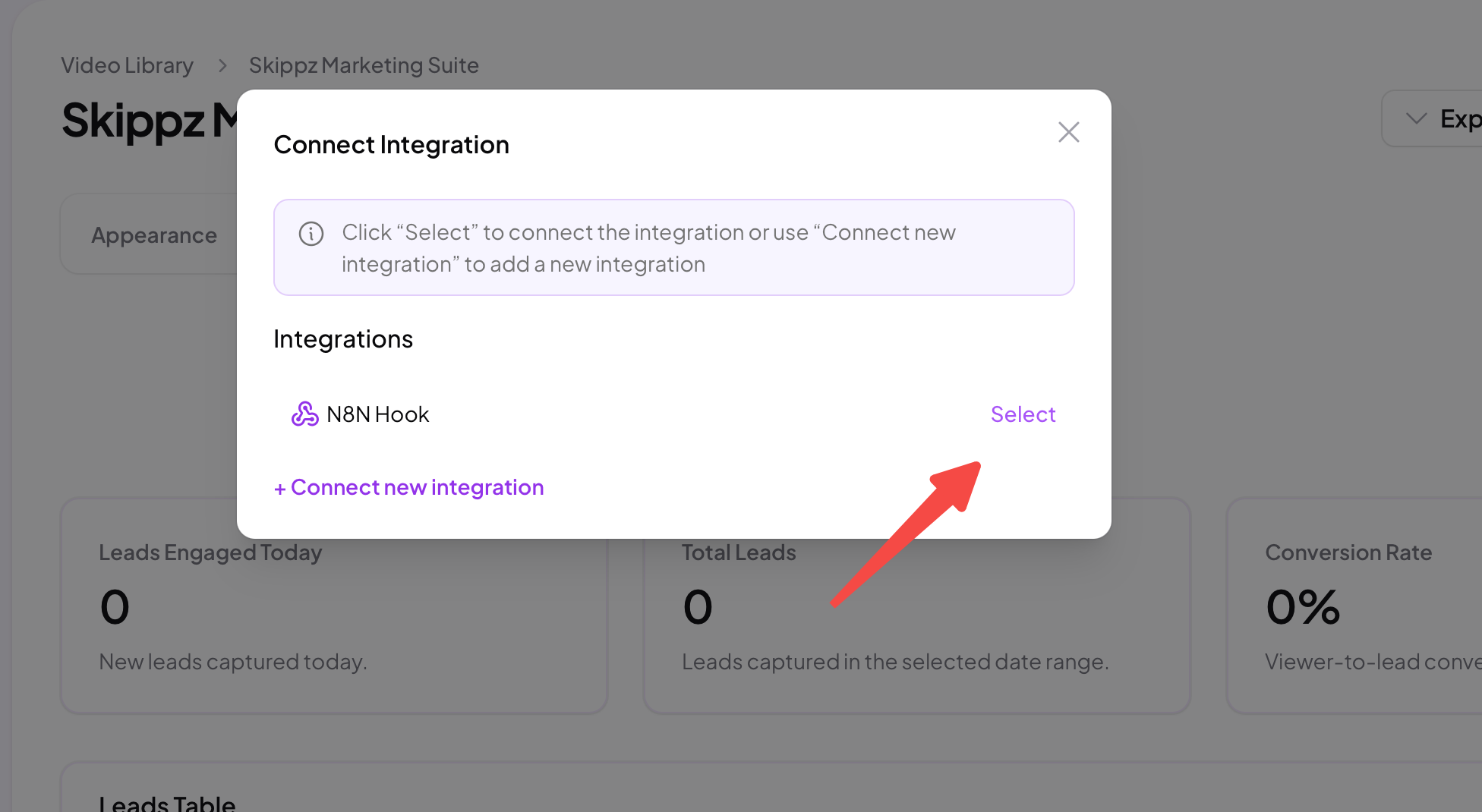
Once connected, every form submission on that video will be sent to the selected integration automatically.
You can attach different integrations to different videos depending on your workflow.
Important Notes
Integrations only send data from form submissions
A video must have a form element to use integrations
Integrations do not affect video playback or viewer experience
Data is sent instantly when the form is submitted
In the next article, we’ll go deeper into Webhooks, including how to set them up, test them, and troubleshoot common issues.