To add a Call to Action:
Open your video
Go to the Marketing tab
Click Add Element and select Call to Action
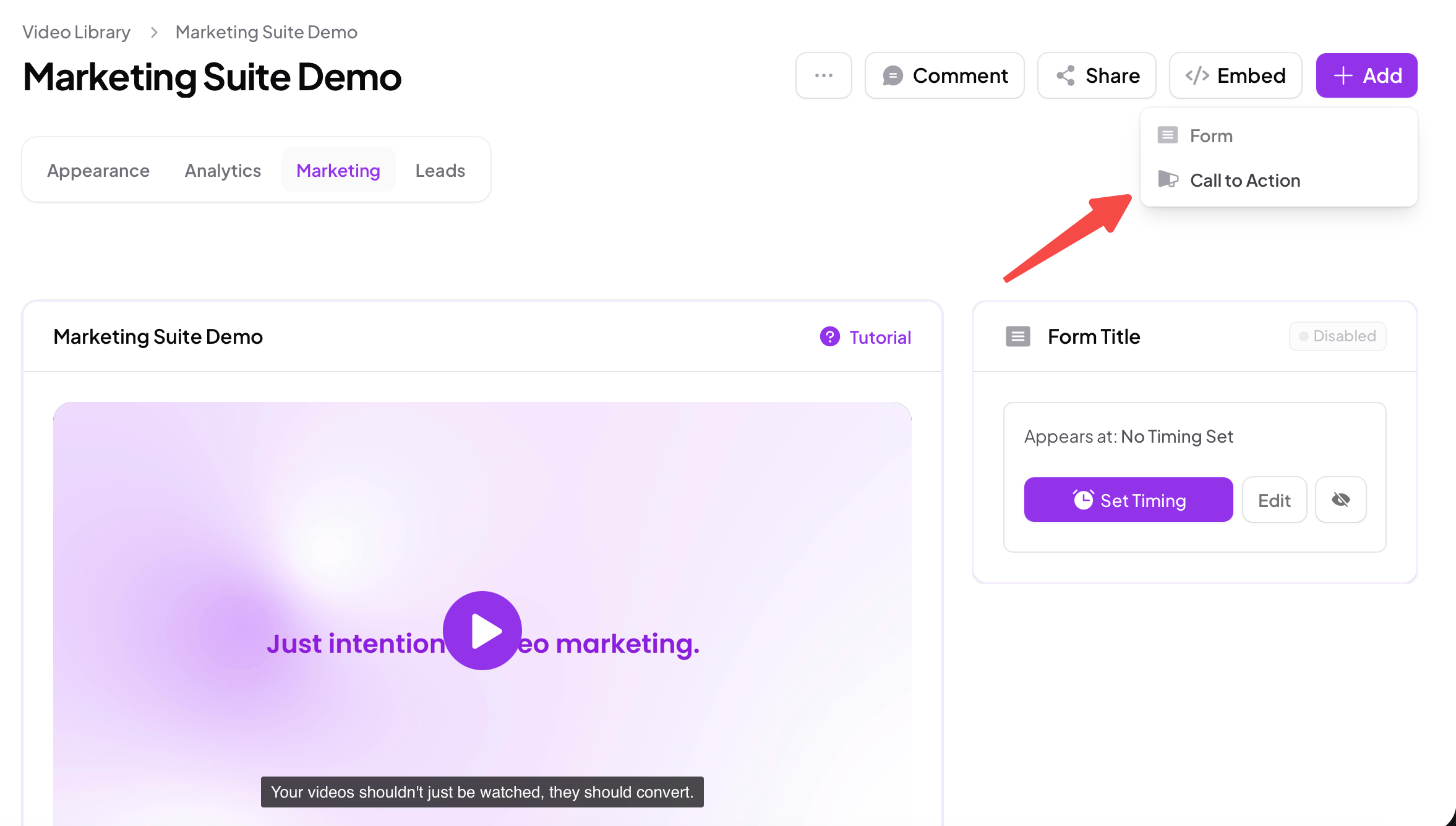
Once added, you can choose the CTA type, configure its appearance, and control how and when it appears in the video.
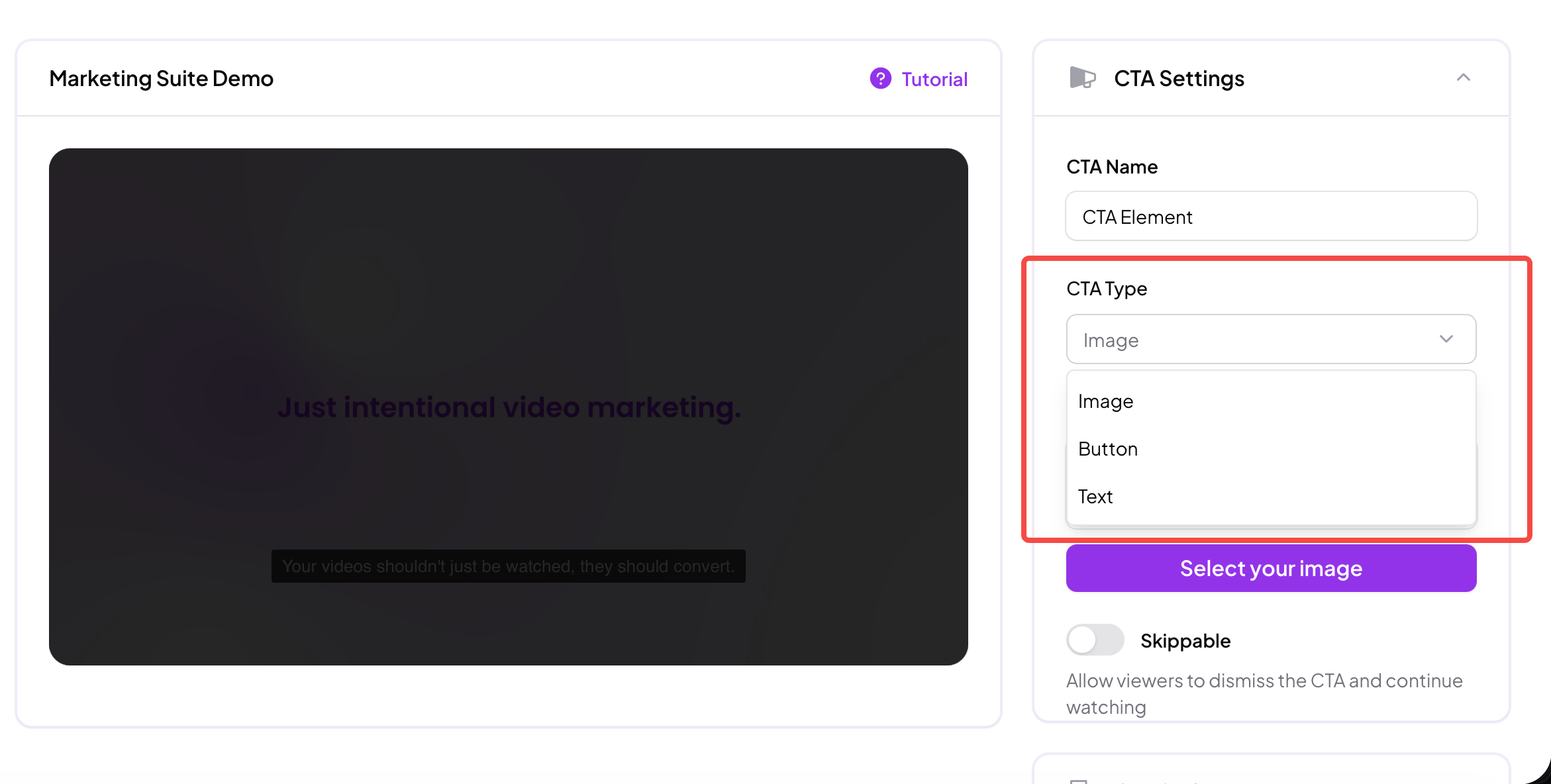
Skippz supports three CTA types. Each serves a different purpose and fits different engagement moments.
Image CTAs allow you to display a visual element with a clickable destination.
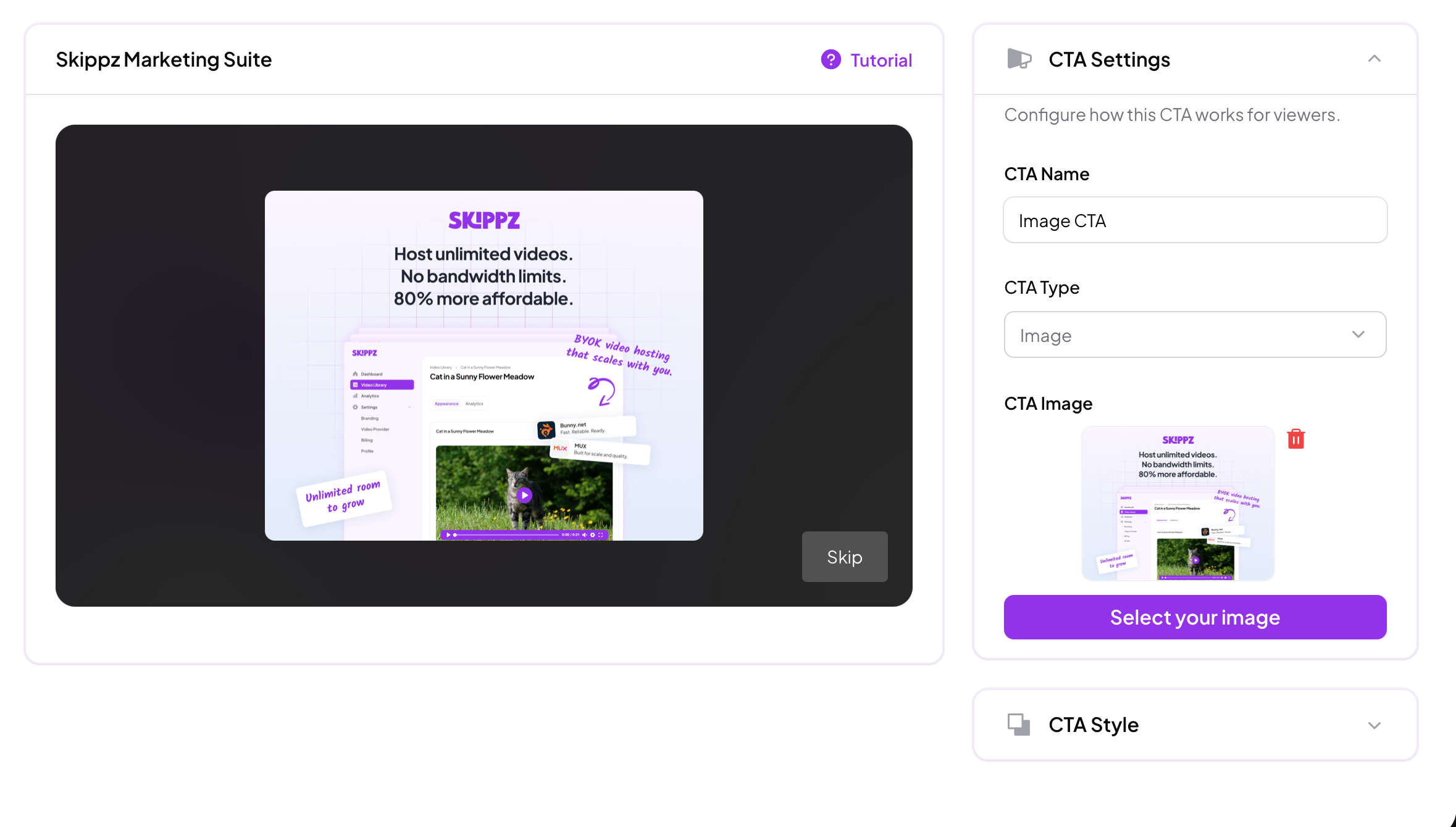
They are ideal for:
Highlighting products or offers
Driving traffic to landing pages
Creating visually strong prompts
When displayed, image CTAs take over the video view and are considered blocking elements.
Text CTAs provide a clean, minimal way to guide viewers.
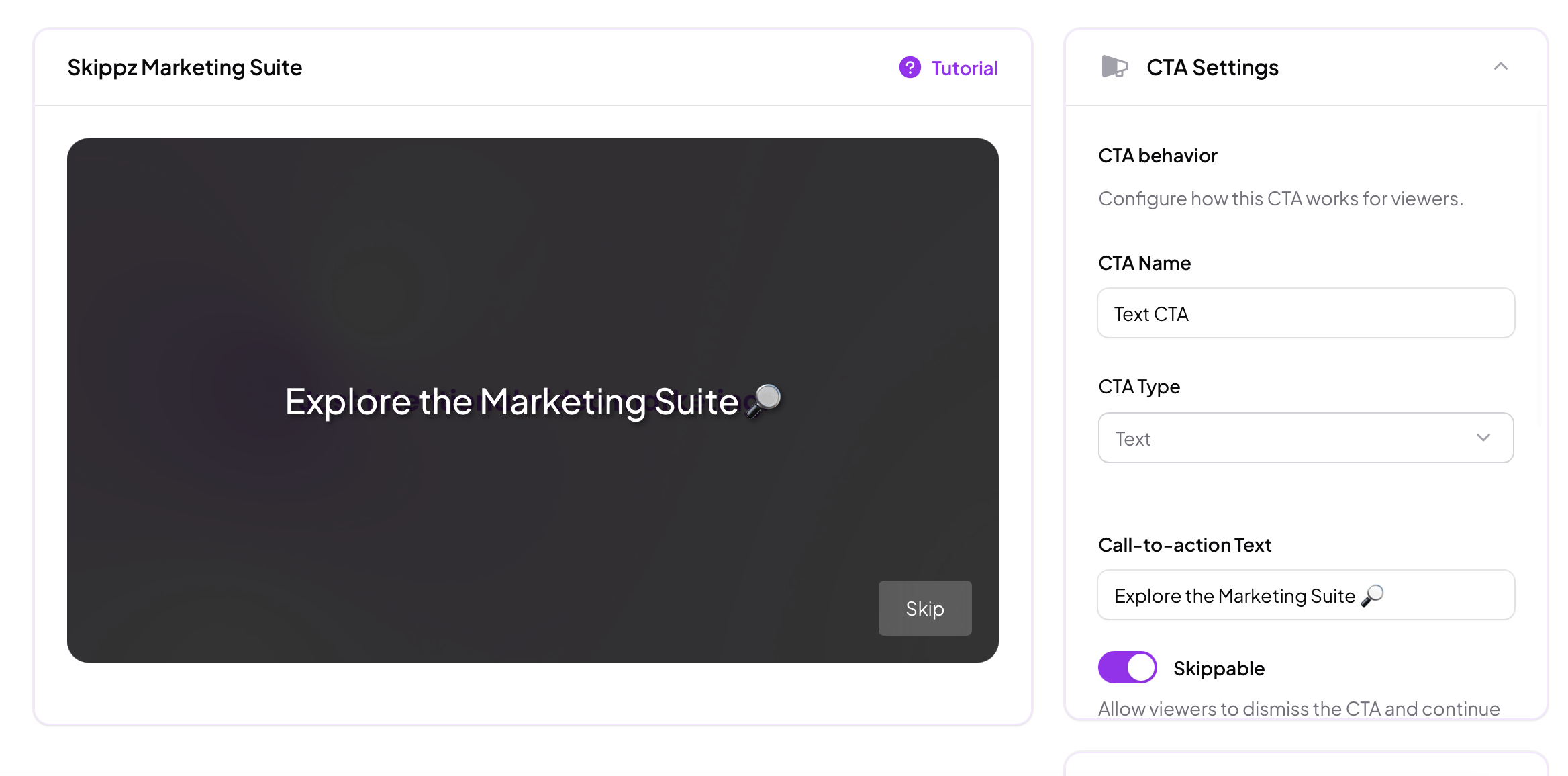
They are useful when:
You want a subtle prompt
Visual distraction should be minimal
The message itself is more important than visuals
Like image CTAs, text CTAs are blocking elements when shown.
Button CTAs are the most flexible option.
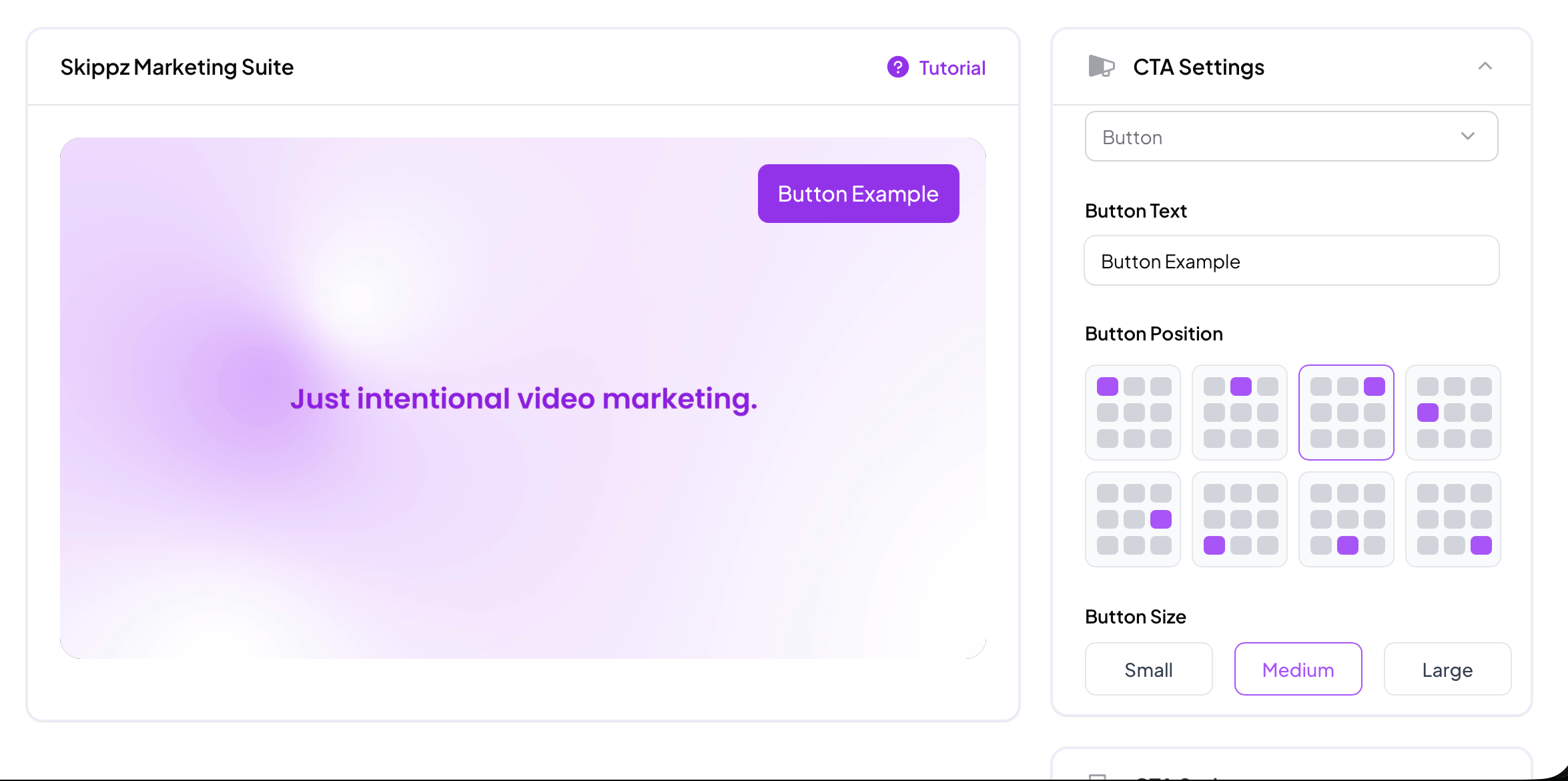
They:
Appear as buttons over the video
Do not interrupt playback by default
Coexist with the video until clicked
Because of this, button CTAs are considered soft elements.
When a viewer clicks a button CTA, the configured action is triggered and the CTA is removed from the video.
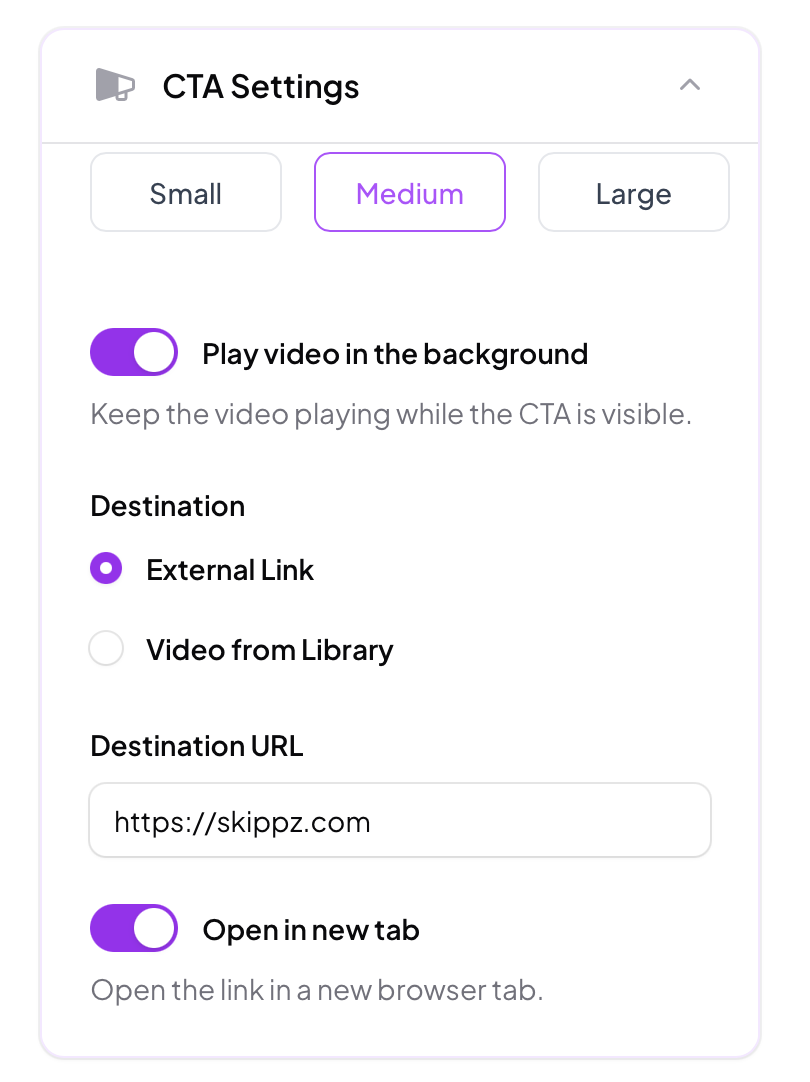
Once a viewer clicks any Call to Action:
The CTA is immediately removed from the video
The destination link will be opened or the linked video from your library will start to play
You can choose whether links open:
In the same tab
In a new tab
You can also select a video from your library as the CTA destination and choose the exact timestamp where the viewer should jump to when the CTA is clicked.
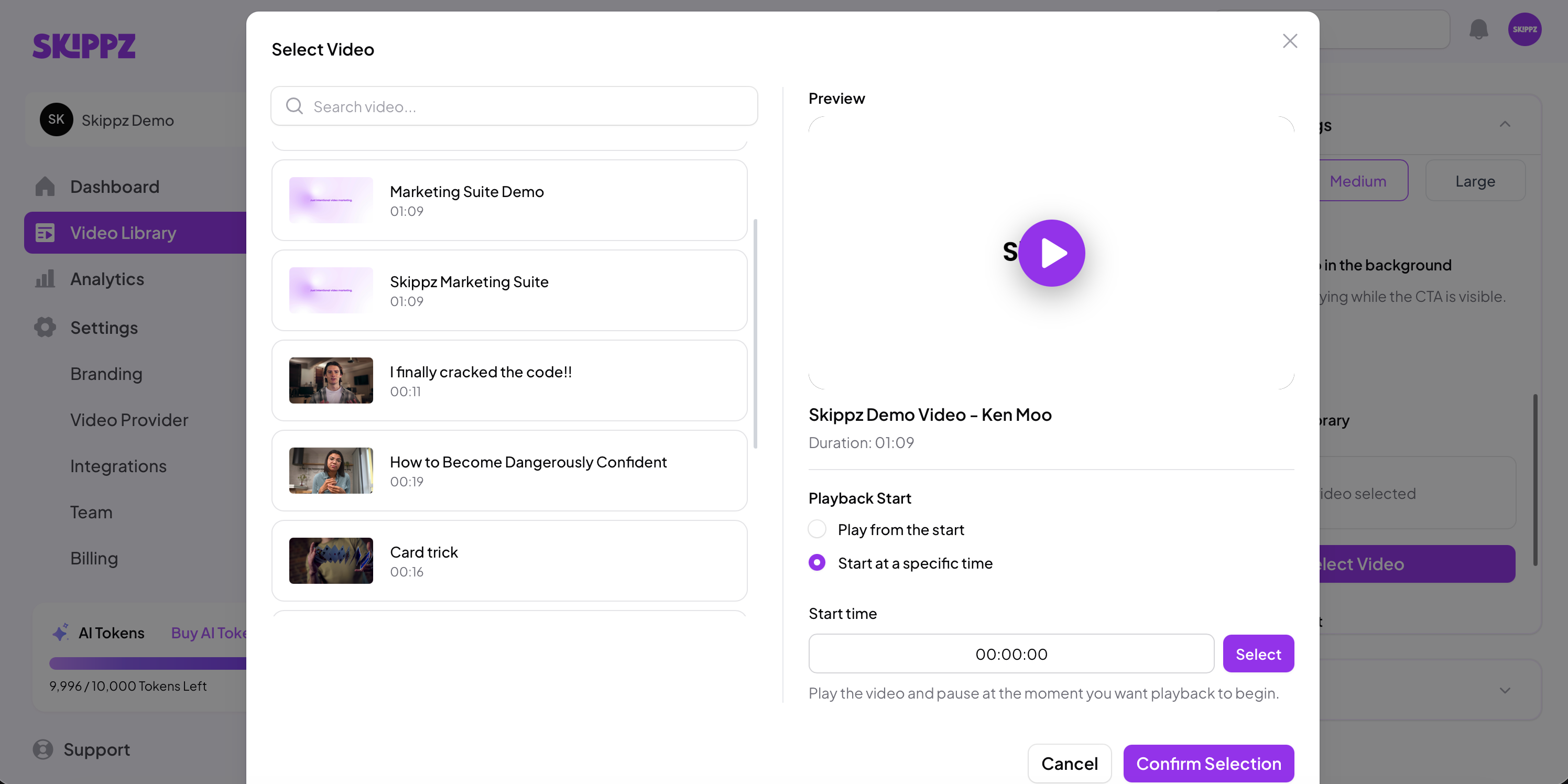
This applies to all CTA types.
All Call to Actions can be styled to match your branding.
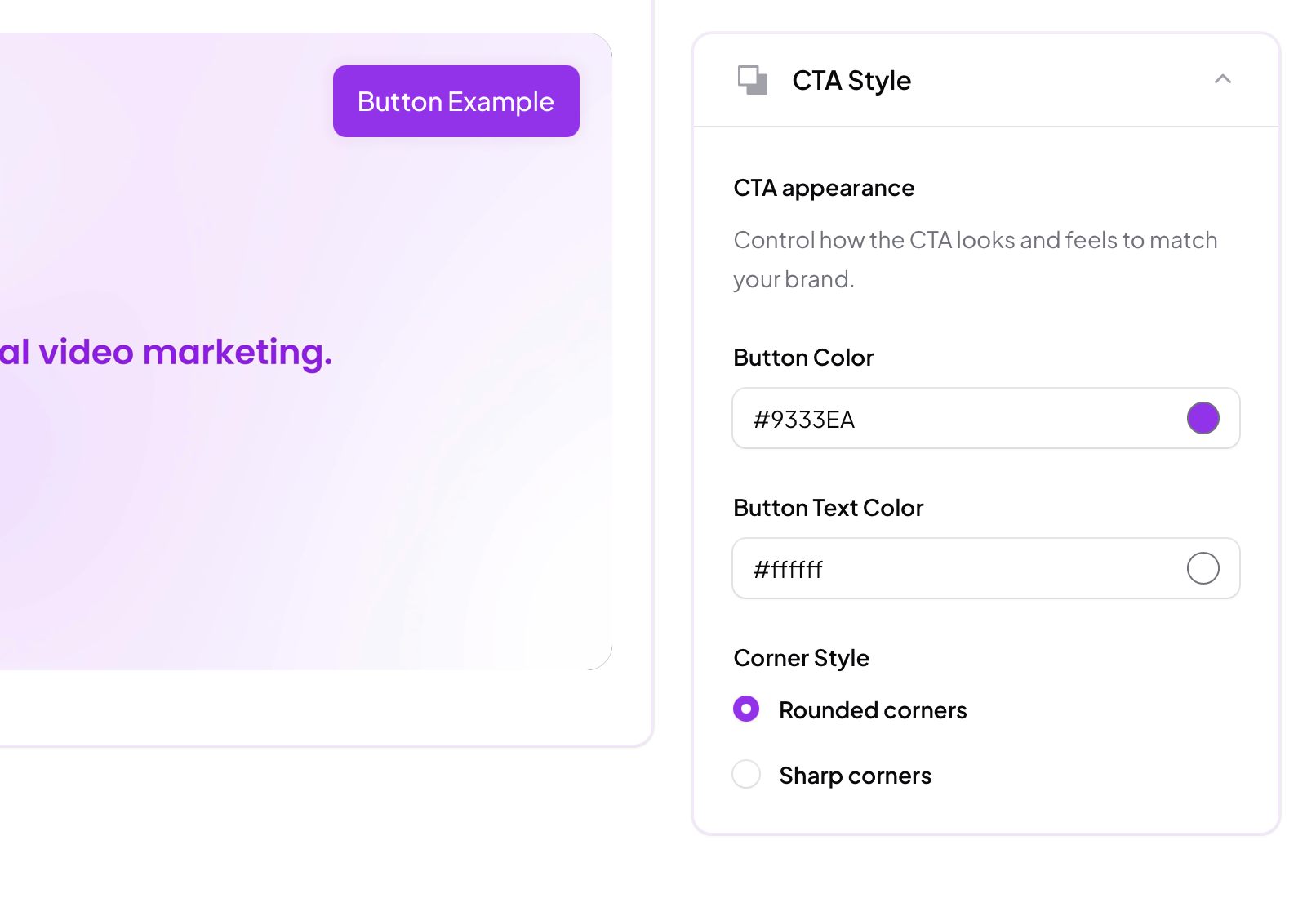
Depending on the CTA type, you can customise:
Colors
Text
Overlay appearance
This allows CTAs to feel native to your video rather than intrusive overlays.
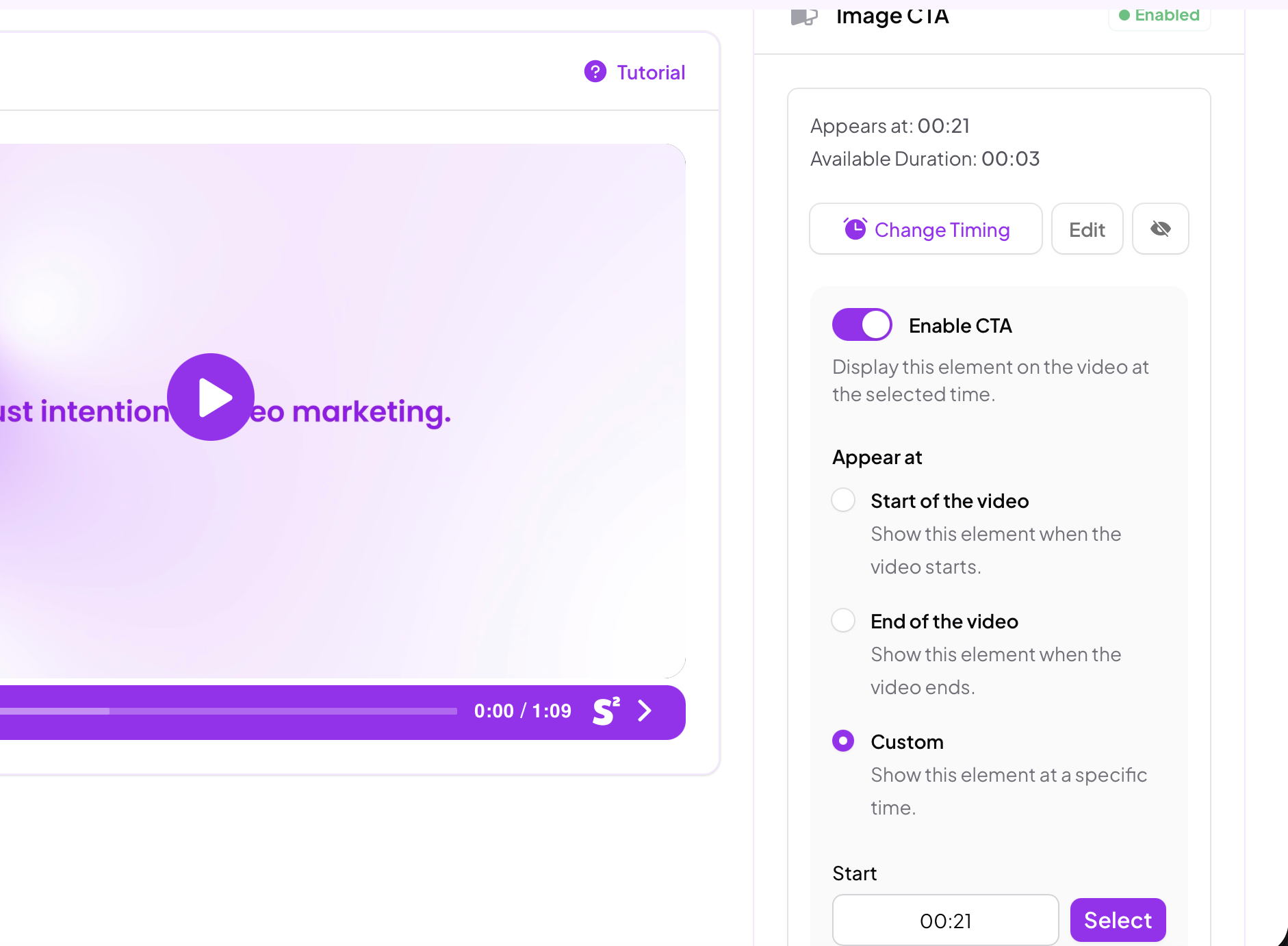
CTAs can be scheduled to appear:
At the start of the video
At the end of the video
At a specific timestamp
Timing works in combination with other marketing elements such as forms.
When multiple elements exist in a video, Skippz manages their behaviour intelligently to avoid conflicts.
Understanding how CTAs interact with the video is important.
Image and text CTAs are blocking elements.
They take over the video view when shown and demand attention.
Button CTAs are soft elements.
They can remain visible while the video plays and do not interrupt playback unless clicked.
This distinction allows you to mix strong conversion moments with lighter guidance throughout a single video.
When multiple marketing elements are added to a video, Skippz uses floating timeline logic to manage how they appear.
This means:
CTAs adjust dynamically based on viewer interaction
Elements do not overlap or trap the viewer
Later elements may shift if earlier interactions take longer than expected
If a CTA has an expiry or availability window and the viewer interacts after that window has passed, the CTA may no longer appear.
This behaviour ensures the video experience remains natural and intentional.
You can learn more about this logic here:
👉 Floating Timeline Logic Explained (link)
A single video can contain up to five CTAs.
You can combine different CTA types to create structured engagement paths.
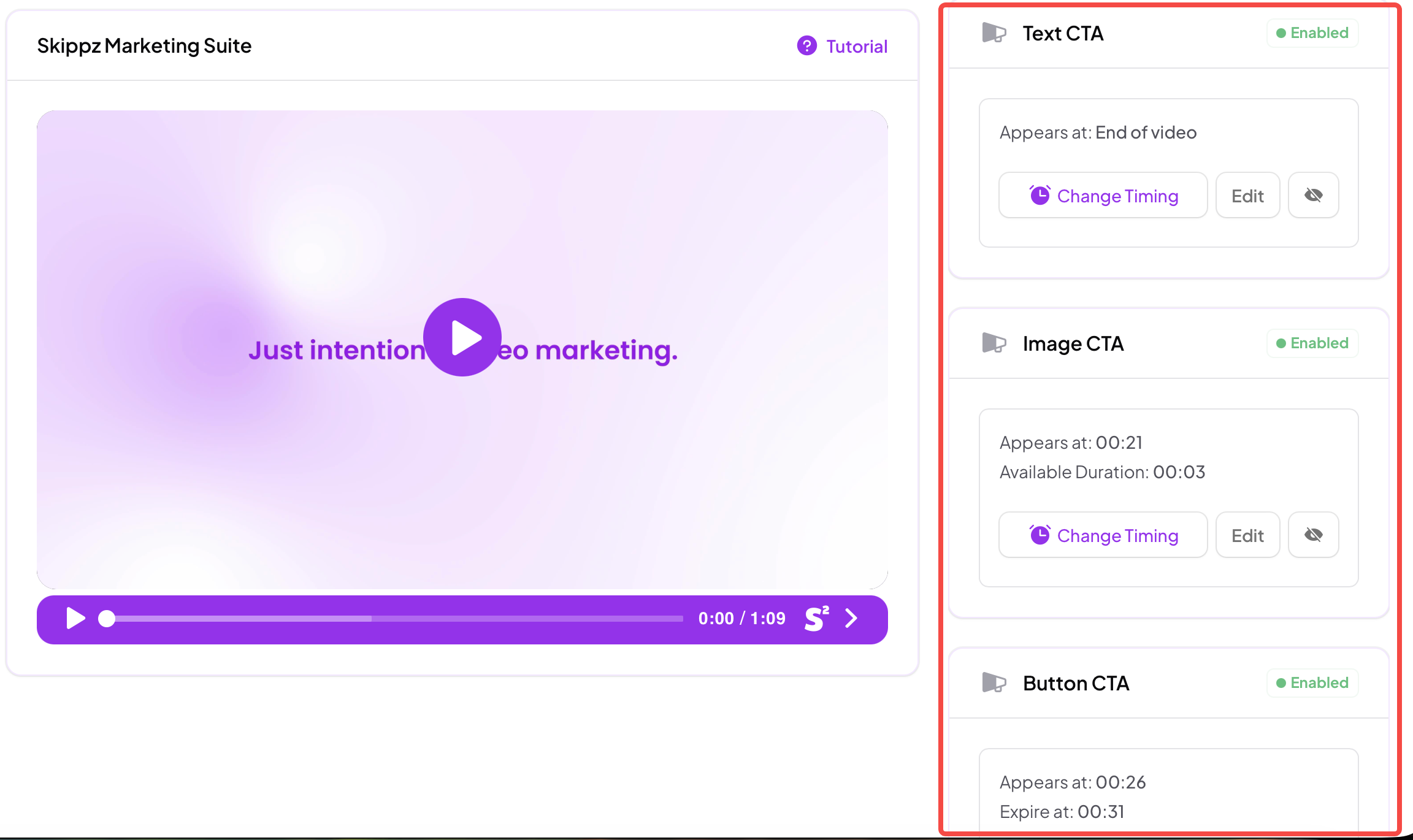
For example:
A soft button CTA early in the video
A blocking text CTA mid-way
A strong image CTA near the end
Skippz ensures these elements behave correctly without overwhelming the viewer.
Each video can have up to five Call to Actions
Image and text CTAs are blocking elements
Button CTAs are soft elements
CTAs are removed once clicked
Timing adapts based on viewer behaviour
Floating timeline logic manages multiple elements intelligently
Call to Actions in Skippz are designed to guide, not interrupt. You define the intent.
Skippz ensures the experience stays clean, adaptive, and effective.
In the next article, we’ll take a deeper look at Floating Timeline Logic, explaining exactly how Skippz adapts marketing elements based on timing and viewer behaviour.
