Every video you upload in Skippz comes with a dedicated Marketing tab.
This is where your video becomes an interactive asset rather than a passive piece of content.
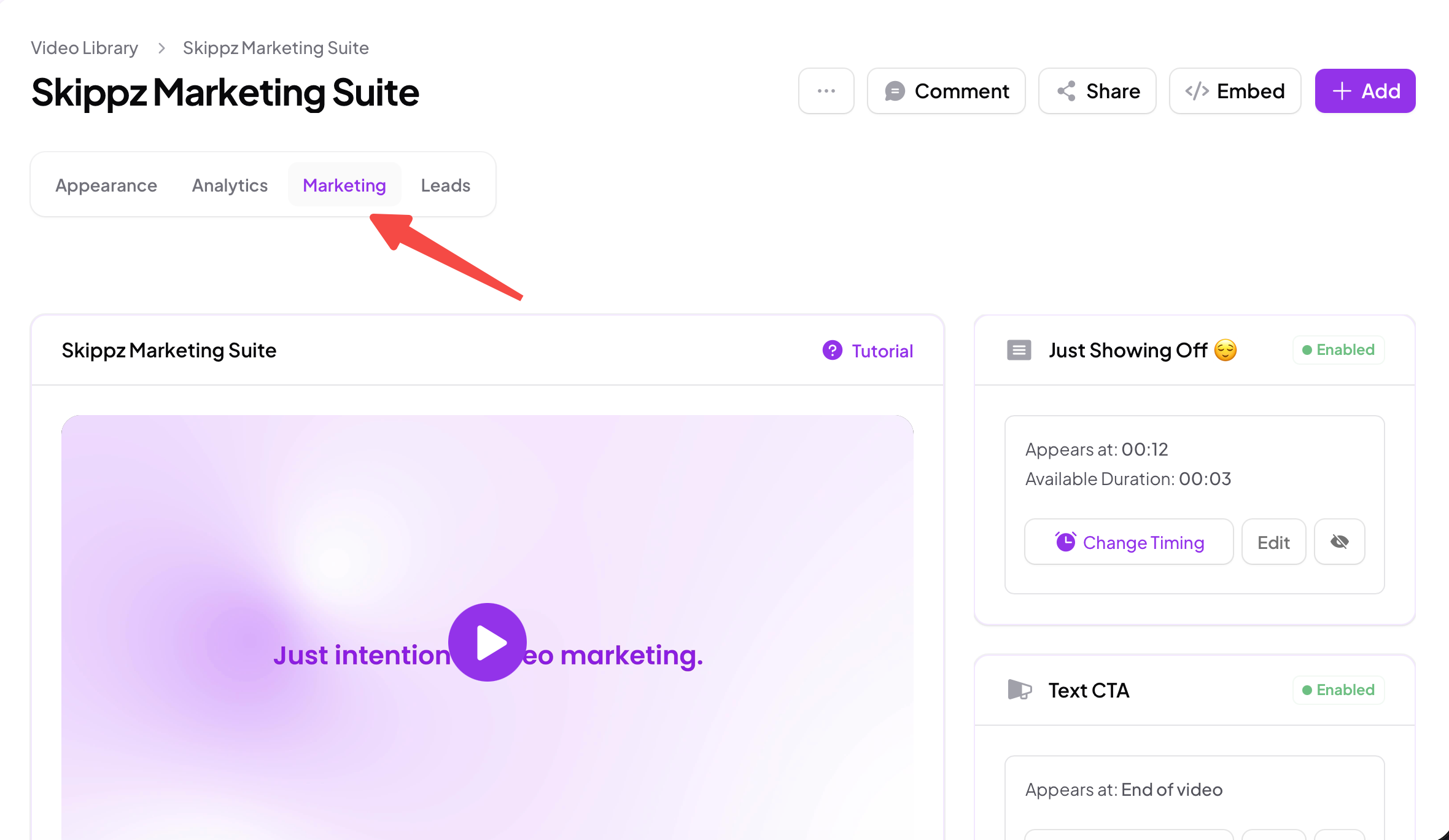
From here, you can:
Collect viewer information
Guide viewers toward specific actions
Control how and when elements appear
Adapt interactions based on timing and behaviour
All of this happens inside the video itself.
The Marketing Suite currently supports two core types of elements that can be applied to any video.
Forms allow you to collect information directly from viewers while they are watching.
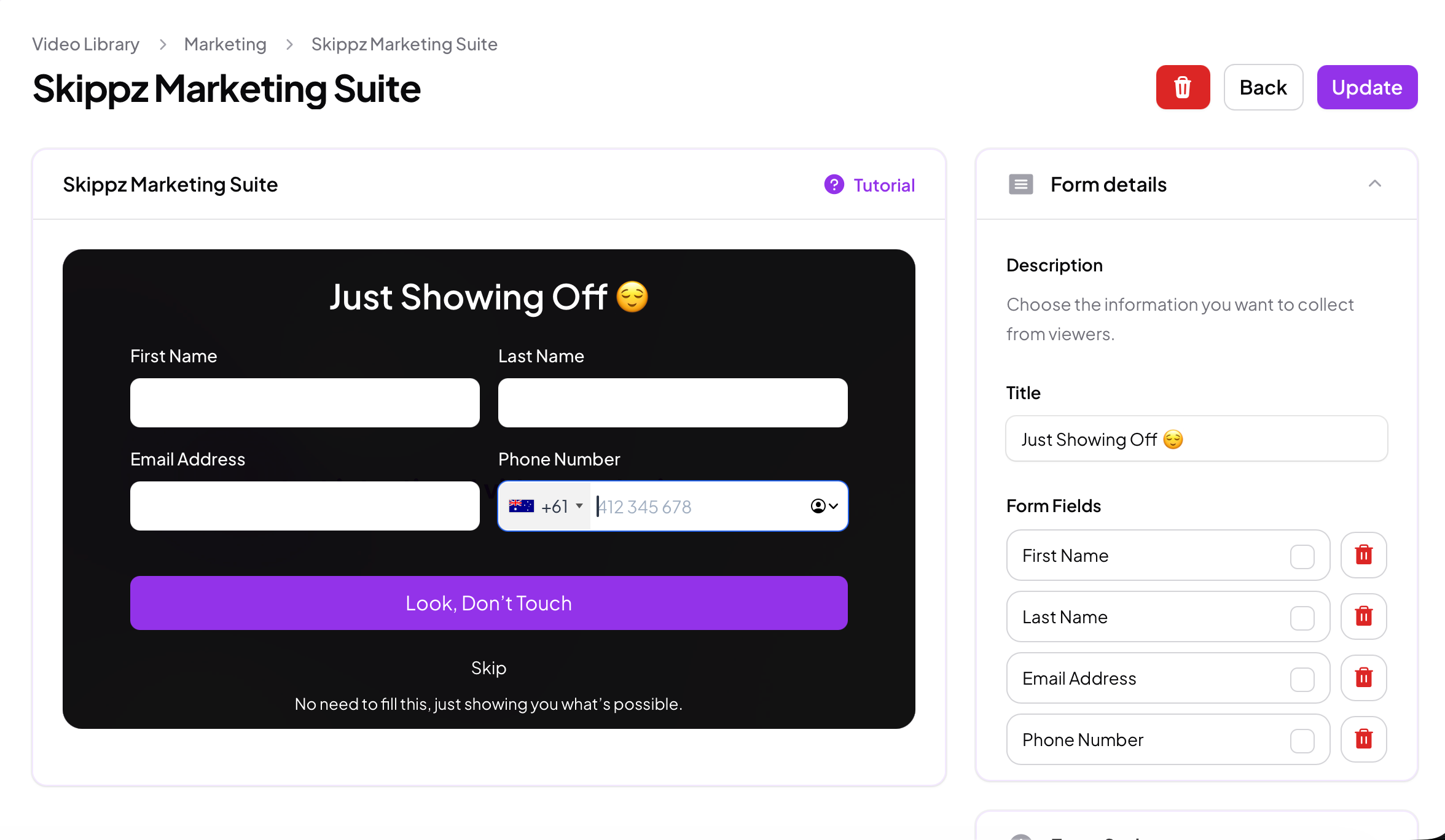
They can be:
Displayed as overlays or opened via buttons
Timed precisely within the video
Styled to match your branding
Configured to be skippable or persistent
Forms are designed to capture intent without forcing viewers away from the content.
Call to Actions help guide viewers toward a next step at the right moment.
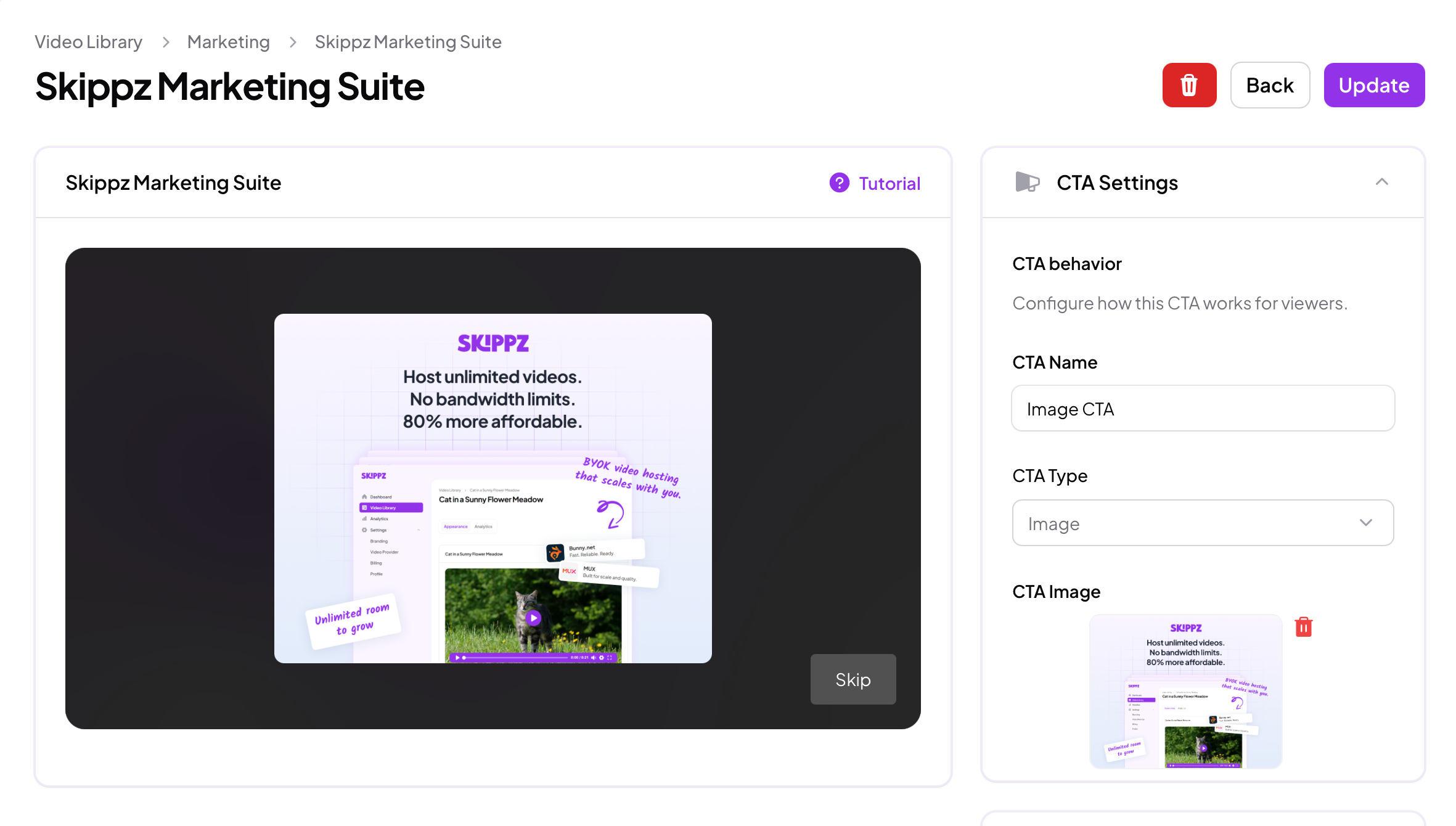
Skippz supports three CTA types, each serving a different purpose:
Image CTAs
Visual prompts that draw attention and link viewers to external destinations.
Text CTAs
Clean, lightweight prompts that guide viewers without disrupting playback.
Button CTAs
Clear, high-intent actions designed for decisive moments.
You can combine multiple CTA types within a single video to create structured engagement paths.
What makes the Skippz Marketing Suite fundamentally different is not just the features, but how they work together.
Skippz uses an intelligent floating timeline logic to manage all marketing elements inside a video.
This logic ensures that:
Blocking and non-blocking elements behave correctly together
Viewers are never trapped or overwhelmed
Timing conflicts are handled automatically
The video experience remains natural and uninterrupted
Instead of forcing rigid rules, the system adapts dynamically based on how elements are configured and how viewers interact with them.
You control the strategy.
Skippz handles the complexity.
Every part of the Marketing Suite is optional and intentional.
Nothing is forced. Nothing is bundled artificially.
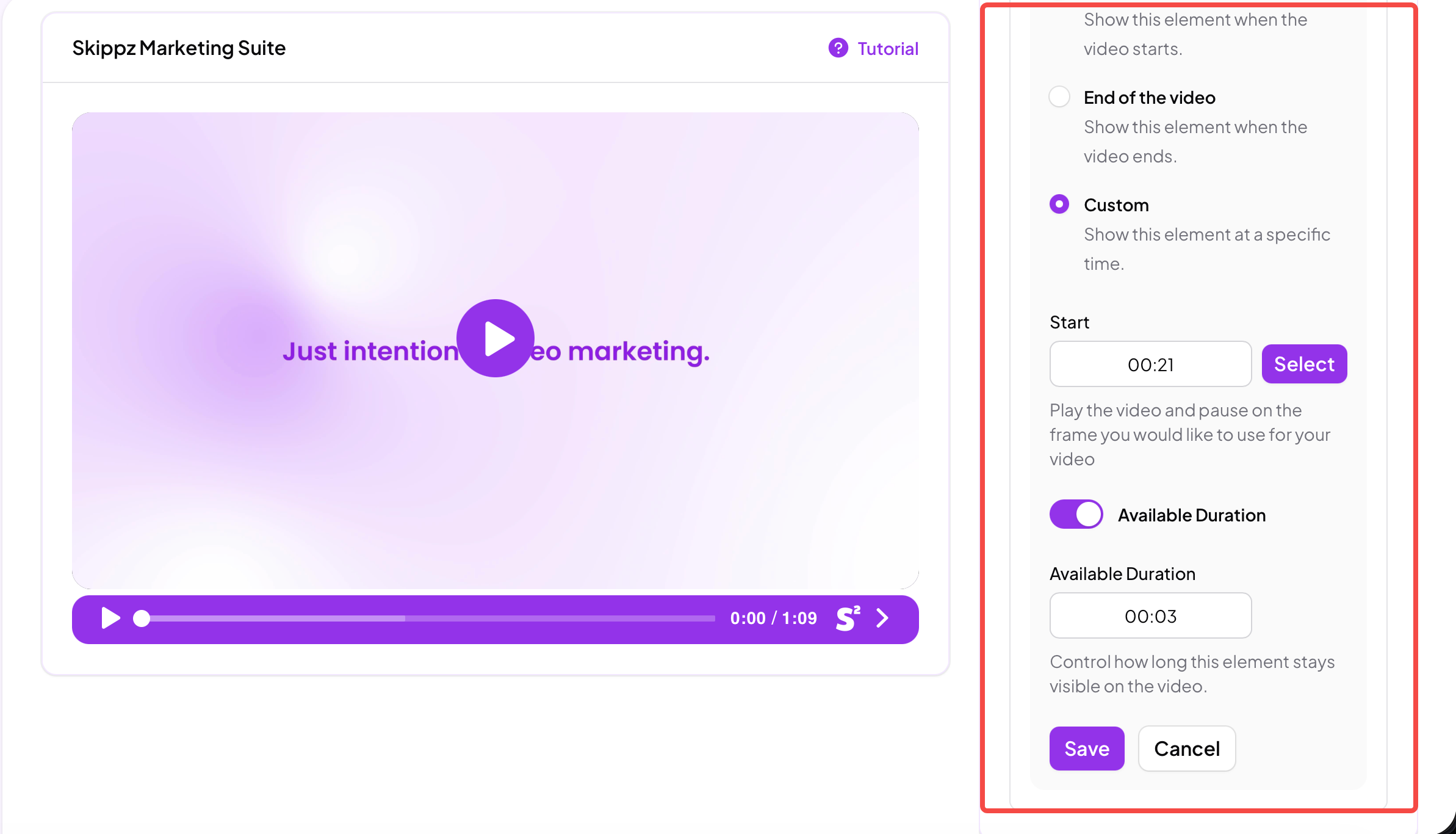
You decide:
Which elements appear
When they appear
How they behave
How subtle or direct your marketing should be
This makes the Marketing Suite suitable for everything from education and onboarding to lead generation and product discovery.
In the next articles, we’ll walk through each element in detail, starting with Forms, followed by Call to Actions, and then advanced behaviour logic for users who want precise control.
Using Forms in your videos
